
Fallout 2 CE Switch: Difference between revisions
More actions
No edit summary |
No edit summary |
||
| (One intermediate revision by one other user not shown) | |||
| Line 4: | Line 4: | ||
|description=Fallout 2 for the Nintendo Switch. Homebrew port. | |description=Fallout 2 for the Nintendo Switch. Homebrew port. | ||
|author=ryandeering | |author=ryandeering | ||
|lastupdated= | |lastupdated=2026/05/22 | ||
|type=Role Playing | |type=Role Playing | ||
|version=1.1. | |version=1.1.1 | ||
|license=Mixed | |license=Mixed | ||
|download=https://dlhb.gamebrew.org/switchhomebrews/Fallout2CESwitch.7z | |download=https://dlhb.gamebrew.org/switchhomebrews/Fallout2CESwitch.7z | ||
| Line 19: | Line 19: | ||
|image_alt=Fallout 2 CE Switch | |image_alt=Fallout 2 CE Switch | ||
}} | }} | ||
Fallout 2 CE Switch is an open-source | Fallout 2 CE Switch is an open-source port of Fallout 2 Community Edition for the Nintendo Switch. | ||
You must own the game to play and have a Switch capable of running unsigned code, so you need a Switch running on custom firmware to run the port. | |||
== Installation == | == Installation == | ||
Purchase your copy on [https://www.gog.com/game/fallout_2 GOG] or [https://store.steampowered.com/app/38410 Steam]. The files need to be from a Windows installation. | |||
Download the latest [https://github.com/ryandeering/fallout2-ce-switch/releases/latest release] or build from the source. See YAML pipelines for reference. | |||
Drag the installation files into a new folder called <code>fallout2</code> in your <code>switch</code> folder on the root of your SD card. | |||
Create a file named fallout2_nx.ini in your 'fallout2' folder | |||
In the fallout2_nx.ini file, paste the following content: | |||
<pre>[MAIN] | <pre>[MAIN] | ||
| Line 40: | Line 46: | ||
IFACE_BAR_SIDES_ORI=0 | IFACE_BAR_SIDES_ORI=0 | ||
; I wouldn't change these if you don't know what you're doing. Related to the interface bar.`</pre> | ; I wouldn't change these if you don't know what you're doing. Related to the interface bar.`</pre> | ||
'''Warning:''' Failure to create the fallout2_nx.ini and required content in it will cause the game to immediately crash upon launch. | |||
< | Put the necessary executable in your <code>switch</code> folder on the root of your SD card, either <code>.nro</code> or <code>.nso</code>. | ||
</ | |||
(Any Fallout 2 saves, CE or not, should work on this port. However, the author is not responsible if your save somehow corrupts.) | |||
== Configuration == | == Configuration == | ||
* | * Cursor Sensitivity: Adjustable in options via mouse sensitivity. Note this will affect cursor speedup as well. | ||
* | * Resolution: You can configure resolution and scaling through a config file. Create a file in your <code>fallout2</code> folder called <code>fallout2_nx.ini</code> - It needs to follow the following structure: | ||
<pre>[MAIN] | <pre>[MAIN] | ||
| Line 72: | Line 70: | ||
; I wouldn't change these if you don't know what you're doing. Related to the interface bar.`</pre> | ; I wouldn't change these if you don't know what you're doing. Related to the interface bar.`</pre> | ||
== | == Controls == | ||
{| style="max-width:80%; margin-left:0em;" | |||
| | |||
https://dlhb.gamebrew.org/switchhomebrews/images/Fallout2CESwitch-03.png | |||
|} | |||
Basic touchscreen support is implemented. | |||
On-screen keyboard support implemented for names and saves. | |||
==Screenshots== | ==Screenshots== | ||
| Line 82: | Line 86: | ||
https://dlhb.gamebrew.org/switchhomebrews/images/Fallout2CESwitch-02.png | https://dlhb.gamebrew.org/switchhomebrews/images/Fallout2CESwitch-02.png | ||
|} | |} | ||
==Media== | |||
'''New Native Switch Ports | Fallout 1+2 ( No Emulation ) How to Install, Tips + Tricks''' ([https://www.youtube.com/watch?v=ogmiwhk15HI Son of a Zet]) <br> | |||
<youtube width="640">ogmiwhk15HI</youtube> | |||
==Changelog== | ==Changelog== | ||
'''v1.1.0''' | |||
* A rebuild against the latest libnx to fix the "This application does not support the current ABI" error on firmware 21.0.0+ / Atmosphere 1.10+. No gameplay changes. | |||
'''v1.1.0''' | '''v1.1.0''' | ||
* feat: disable ESC (+ button) exiting in the main menu by [https://github.com/ryandeering @ryandeering] in [https://github.com/ryandeering/fallout2-ce-switch/pull/8 #8] | * feat: disable ESC (+ button) exiting in the main menu by [https://github.com/ryandeering @ryandeering] in [https://github.com/ryandeering/fallout2-ce-switch/pull/8 #8] | ||
| Line 98: | Line 108: | ||
== Credits == | == Credits == | ||
* | *Interplay: For developing and publishing the original game. | ||
* | *alexbatalov and fallout2-CE Contributors: For their excellent work in keeping this game modern. | ||
* | *Romane: For the graphics. | ||
* | *Tiwaz and Caleb Orchard: For testing. | ||
== External links == | == External links == | ||
* | * GitHub - https://github.com/ryandeering/fallout2-ce-switch | ||
Latest revision as of 01:42, 24 May 2026
| Fallout 2 CE Switch | |
|---|---|
 | |
| General | |
| Author | ryandeering |
| Type | Role Playing |
| Version | 1.1.1 |
| License | Mixed |
| Last Updated | 2026/05/22 |
| Links | |
| Download | |
| Website | |
| Source | |
Fallout 2 CE Switch is an open-source port of Fallout 2 Community Edition for the Nintendo Switch.
You must own the game to play and have a Switch capable of running unsigned code, so you need a Switch running on custom firmware to run the port.
Installation
Purchase your copy on GOG or Steam. The files need to be from a Windows installation.
Download the latest release or build from the source. See YAML pipelines for reference.
Drag the installation files into a new folder called fallout2 in your switch folder on the root of your SD card.
Create a file named fallout2_nx.ini in your 'fallout2' folder
In the fallout2_nx.ini file, paste the following content:
[MAIN]
SCR_WIDTH=1708
SCR_HEIGHT=960
SCALE_2X=1
; Change resolution and determine scaling. SCALE_2X=1 will turn 2x scaling on. SCALE_2X=0 will turn it off.

[IFACE]
IFACE_BAR_MODE=0
IFACE_BAR_WIDTH=800
IFACE_BAR_SIDE_ART=1
IFACE_BAR_SIDES_ORI=0
; I wouldn't change these if you don't know what you're doing. Related to the interface bar.`
Warning: Failure to create the fallout2_nx.ini and required content in it will cause the game to immediately crash upon launch.
Put the necessary executable in your switch folder on the root of your SD card, either .nro or .nso.
(Any Fallout 2 saves, CE or not, should work on this port. However, the author is not responsible if your save somehow corrupts.)
Configuration
- Cursor Sensitivity: Adjustable in options via mouse sensitivity. Note this will affect cursor speedup as well.
- Resolution: You can configure resolution and scaling through a config file. Create a file in your
fallout2folder calledfallout2_nx.ini- It needs to follow the following structure:
[MAIN]
SCR_WIDTH=1708
SCR_HEIGHT=960
SCALE_2X=1
; Change resolution and determine scaling. SCALE_2X=1 will turn 2x scaling on. SCALE_2X=0 will turn it off.

[IFACE]
IFACE_BAR_MODE=0
IFACE_BAR_WIDTH=800
IFACE_BAR_SIDE_ART=1
IFACE_BAR_SIDES_ORI=0
; I wouldn't change these if you don't know what you're doing. Related to the interface bar.`
Controls
|
|
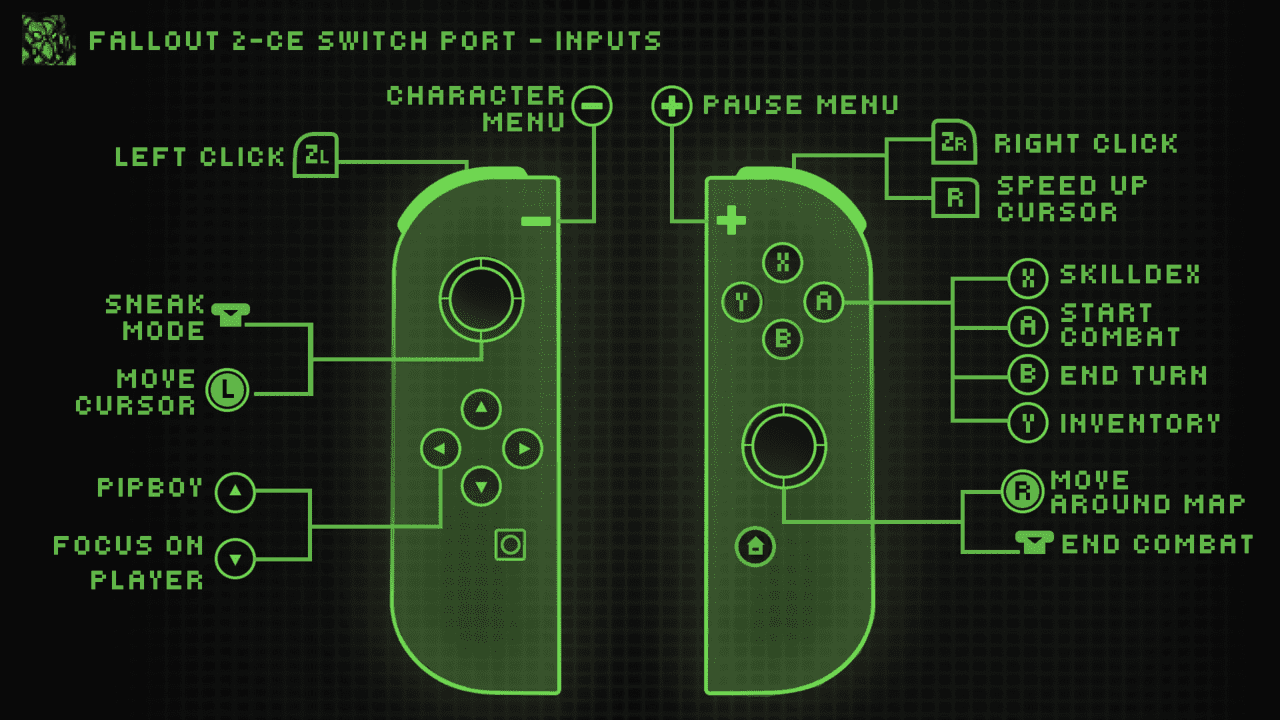
Basic touchscreen support is implemented.
On-screen keyboard support implemented for names and saves.
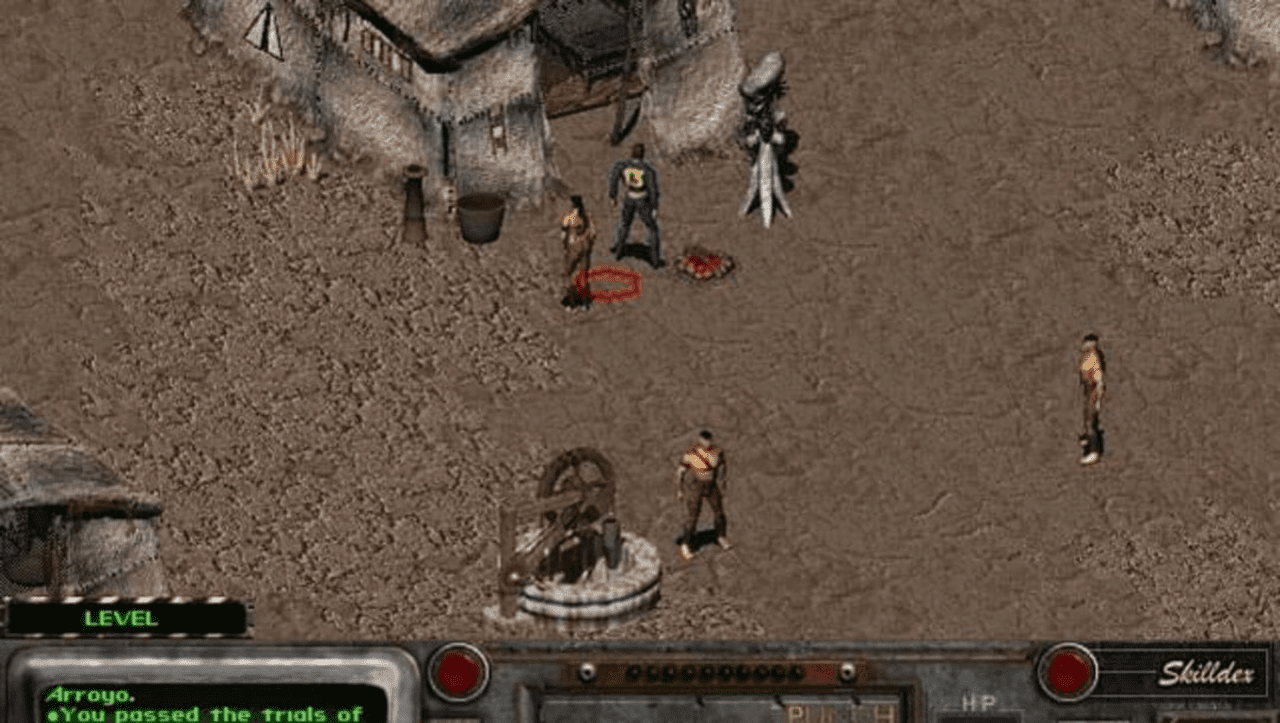
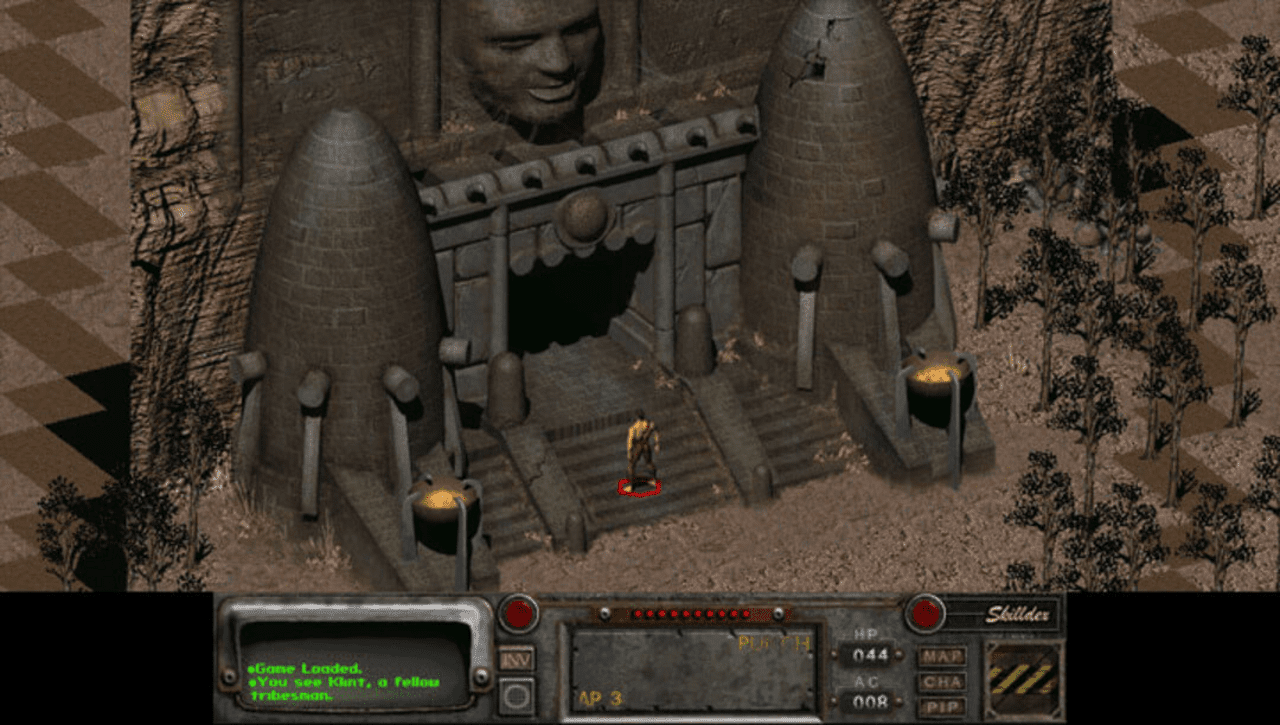
Screenshots
|
|
Media
New Native Switch Ports | Fallout 1+2 ( No Emulation ) How to Install, Tips + Tricks (Son of a Zet)
Changelog
v1.1.0
- A rebuild against the latest libnx to fix the "This application does not support the current ABI" error on firmware 21.0.0+ / Atmosphere 1.10+. No gameplay changes.
v1.1.0
- feat: disable ESC (+ button) exiting in the main menu by @ryandeering in #8
- feat: allow for fallout2 folder to be loaded from the switch folder by @ryandeering in #9
- feat: include actual release version as part of build process by @ryandeering in #11
- feat: change speed up button to R by @ryandeering in #13
- fix: mouse sensitivity thresholds applied + feat: increase cursor speed by @ryandeering in #15
- feat: switch specific config file 'fallout2_nx.ini' by @ryandeering in #16
- feat: update config to reflect new updates by @ryandeering in #17
v1.0.1
- feat: eliminate use of f2_res.ini by @ryandeering in #3.
v1.0
- First Release.
Credits
- Interplay: For developing and publishing the original game.
- alexbatalov and fallout2-CE Contributors: For their excellent work in keeping this game modern.
- Romane: For the graphics.
- Tiwaz and Caleb Orchard: For testing.