
Super Mario All-Stars Vita: Difference between revisions
From GameBrew
More actions
No edit summary |
No edit summary |
||
| Line 21: | Line 21: | ||
Super Mario All-Stars Vita is a port of smw, a reimplementation of Super Mario World with several enhancements with experimental support for Super Mario All-Stars (Super Mario Bros 1 and Super Mario Bros: Lost Levels). | Super Mario All-Stars Vita is a port of smw, a reimplementation of Super Mario World with several enhancements with experimental support for Super Mario All-Stars (Super Mario Bros 1 and Super Mario Bros: Lost Levels). | ||
This | This is improved upon of the author's [[Super Mario World Vita|Super Mario World PS Vita port]], bringing fixes (eg. the tunnels bug is fixed), support for SMB1 and SMB:LL, integer scaling option (IntegerScaling in the ini file), and more. | ||
==Installation== | |||
In order to run this you will need to extract the file smw_assets.dat from a dump of your own Super Mario World US SNES cartridge and extract related roms for Super Mario All-Stars rom. | |||
Instructions (PC): | |||
* Download [https://www.python.org/downloads/ Python installer] and install. | |||
* Open the command prompt. | |||
* Type <code>python -m pip install --upgrade pip</code> and hit enter. | |||
* Type <code>python -m pip install --upgrade Pillow</code> and hit enter. | |||
* Type <code>python -m pip install --upgrade pyyaml</code> and hit enter. | |||
* Type <code>python -m pip install --upgrade zstandard</code> and hit enter. | |||
* Download [https://www.python.org/downloads/ Python installer] and install | |||
* Open the command prompt | |||
* Type | |||
* Type | |||
* Type | |||
* Type | |||
* Download https://github.com/snesrev/smw/archive/refs/heads/main.zip | * Download https://github.com/snesrev/smw/archive/refs/heads/main.zip | ||
* Extract smw-main.zip somewhere and open smw-main folder. | * Extract smw-main.zip somewhere and open smw-main folder. | ||
| Line 45: | Line 39: | ||
* Place your US rom of Super Mario All-Stars named as smas.sfc inside the other folder. | * Place your US rom of Super Mario All-Stars named as smas.sfc inside the other folder. | ||
* Run python extract.py in the command prompt. | * Run python extract.py in the command prompt. | ||
Instructions (Vita): | |||
* Install the .vpk file and extract allstars.zip to ux0:data/. | |||
* Place smw_assets.dat, smb1.sfc and smbll.sfc files in ux0:data/smworld. | |||
Notes: | |||
* Several options can be changed by editing the file ux0:data/smworld/smw.ini. | * Several options can be changed by editing the file ux0:data/smworld/smw.ini. | ||
* You can return to the game selection by pressing Start + Select + D-Pad Left anytime. | |||
==Screenshots== | ==Screenshots== | ||
| Line 69: | Line 67: | ||
== External links == | == External links == | ||
* GitHub - https://github.com/Rinnegatamante/smw | |||
* PSX-Place - https://www.psx-place.com/threads/release-super-mario-all-stars-vita.47994/ | * PSX-Place - https://www.psx-place.com/threads/release-super-mario-all-stars-vita.47994/ | ||
* VitaDB - https://www.rinnegatamante.eu/vitadb/#/info/1280 | * VitaDB - https://www.rinnegatamante.eu/vitadb/#/info/1280 | ||
Latest revision as of 12:11, 20 July 2025
| Super Mario All-Stars Vita | |
|---|---|
 | |
| General | |
| Author | Rinnegatamante |
| Type | Platform |
| Version | 1.0 |
| License | MIT License |
| Last Updated | 2025/07/15 |
| Links | |
| Download | |
| Website | |
| Source | |
| Support Author | |
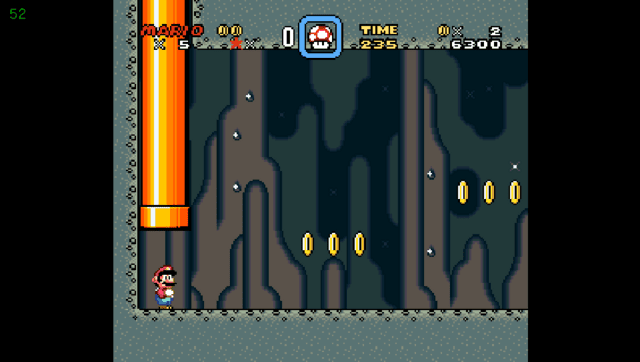
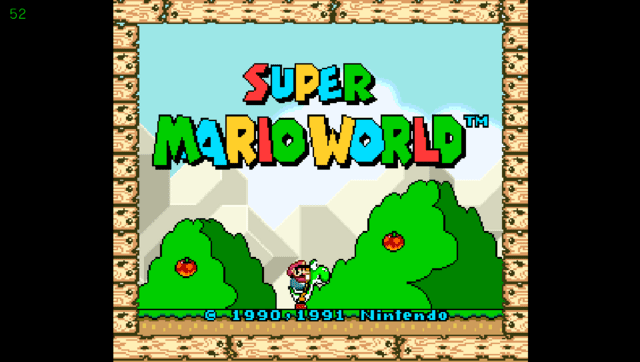
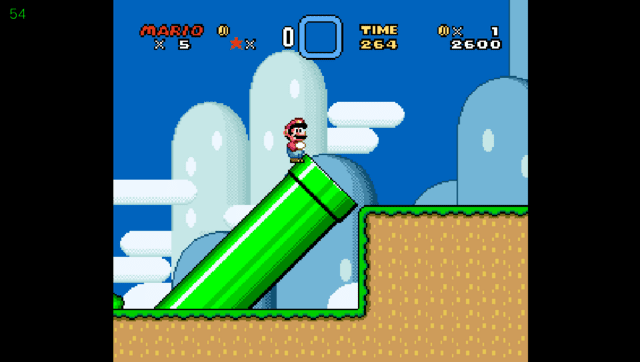
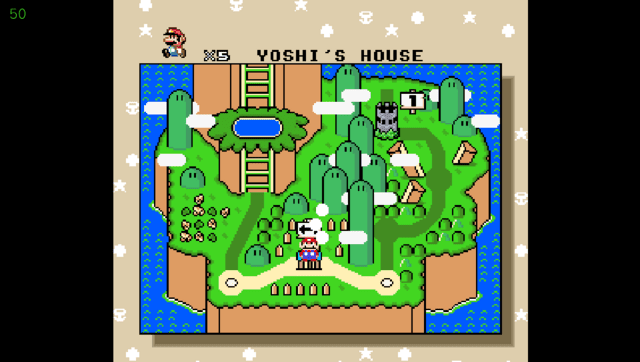
Super Mario All-Stars Vita is a port of smw, a reimplementation of Super Mario World with several enhancements with experimental support for Super Mario All-Stars (Super Mario Bros 1 and Super Mario Bros: Lost Levels).
This is improved upon of the author's Super Mario World PS Vita port, bringing fixes (eg. the tunnels bug is fixed), support for SMB1 and SMB:LL, integer scaling option (IntegerScaling in the ini file), and more.
Installation
In order to run this you will need to extract the file smw_assets.dat from a dump of your own Super Mario World US SNES cartridge and extract related roms for Super Mario All-Stars rom.
Instructions (PC):
- Download Python installer and install.
- Open the command prompt.
- Type
python -m pip install --upgrade pipand hit enter. - Type
python -m pip install --upgrade Pillowand hit enter. - Type
python -m pip install --upgrade pyyamland hit enter. - Type
python -m pip install --upgrade zstandardand hit enter. - Download https://github.com/snesrev/smw/archive/refs/heads/main.zip
- Extract smw-main.zip somewhere and open smw-main folder.
- Place your US rom of Super Mario World named as smw.sfc in this folder.
- Run extract_assets.bat.
- Place your US rom of Super Mario All-Stars named as smas.sfc inside the other folder.
- Run python extract.py in the command prompt.
Instructions (Vita):
- Install the .vpk file and extract allstars.zip to ux0:data/.
- Place smw_assets.dat, smb1.sfc and smbll.sfc files in ux0:data/smworld.
Notes:
- Several options can be changed by editing the file ux0:data/smworld/smw.ini.
- You can return to the game selection by pressing Start + Select + D-Pad Left anytime.
Screenshots
Changelog
v1.0
- First Release.
Credits
- TheIronUniverse for the Livearea assets
- CatoTheYounger for testing the homebrew and providing screenshots
- snesrev and everyone involved in the original recreation project