
RVGL Switch: Difference between revisions
From GameBrew
More actions
Created page with "{{Infobox Switch Homebrews |title=RVGL |image=RVGLSwitch.png |description=RVGL for Switch. |author=BirdSentinel |lastupdated=2024/03/02 |type=Racing |version=23.1030a1 |license=Mixed |download=https://dlhb.gamebrew.org/switchhomebrews/RVGLSwitch.7z |website=https://github.com/BirdSentinel/rvgl-for-switch |source=https://github.com/BirdSentinel/rvgl-for-switch |donation= }} {{#seo: |title=Switch Homebrew Games (Racing) - GameBrew |title_mode=append |image=RVGLSwitch.png |..." |
No edit summary |
||
| (One intermediate revision by one other user not shown) | |||
| Line 4: | Line 4: | ||
|description=RVGL for Switch. | |description=RVGL for Switch. | ||
|author=BirdSentinel | |author=BirdSentinel | ||
|lastupdated= | |lastupdated=2026/02/22 | ||
|type=Racing | |type=Racing | ||
|version= | |version=rvgl_nx_23.1030a1_switch21fix | ||
|license=Mixed | |license=Mixed | ||
|download=https://dlhb.gamebrew.org/switchhomebrews/RVGLSwitch.7z | |download=https://dlhb.gamebrew.org/switchhomebrews/RVGLSwitch.7z | ||
| Line 29: | Line 29: | ||
* Joycons are the default controller, but usb keyboard is also supported. | * Joycons are the default controller, but usb keyboard is also supported. | ||
* Split screen multiplayer with joycons (Just setup first the controls in the settings). | * Split screen multiplayer with joycons (Just setup first the controls in the settings). | ||
== | ==Installation== | ||
Download the latest release from [https://github.com/BirdSentinel/rvgl-for-switch/releases here]. | |||
Create a new folder /switch/rvgl/ on your Switch. | |||
Put the release zip contents in it. | |||
''' | |||
Obtain [https://distribute.re-volt.io/releases/rvgl_full_win64_original.zip game data] and put everything in /switch/rvgl/ except rvgl.exe and the dll files. | |||
'''Note:''' If your game is located in sdmc:/switch/rvgl/ you can install the included .nsp forwarder to have an icon for it on the home screen like the other games. | |||
==Screenshots== | ==Screenshots== | ||
| Line 53: | Line 50: | ||
https://dlhb.gamebrew.org/switchhomebrews/images/RVGLSwitch-04.png | https://dlhb.gamebrew.org/switchhomebrews/images/RVGLSwitch-04.png | ||
==Changelog== | ==Media== | ||
'''(RVGL) Museum Unleashed - Clasica (30 cars)''' ([https://www.youtube.com/watch?v=Eu2fsGMHjKM CELL]) <br> | |||
<youtube width="640">Eu2fsGMHjKM</youtube> | |||
==Changelog== | |||
'''rvgl_nx_23.1030a1_switch21fix''' | |||
*Thanks to [https://github.com/ViRb3 ViRb3] for these fixes: | |||
** Fixed sound distortion after console wake up from sleep ([https://github.com/BirdSentinel/rvgl-for-switch/issues/2 #2]) | |||
** Fixed controller buttons swapped (X->Y, A->B) | |||
** Fixed unable to type IP address for multiplayer with controller | |||
** Fixed running under Atmosphere 1.10+ ([https://github.com/BirdSentinel/rvgl-for-switch/issues/5 #5]) | |||
** Fixed resolution resetting to 720p on start | |||
** Custom controller curve vastly improves feeling and control | |||
'''23.1030a1''' | '''23.1030a1''' | ||
* First Release. | * First Release. | ||
== | ==Credits== | ||
* Huge thanks to [https://github.com/fgsfdsfgs fgsfdsfgs] for the proper libunistring library and the help with the makefile! | * Huge thanks to [https://github.com/fgsfdsfgs fgsfdsfgs] for the proper libunistring library and the help with the makefile! | ||
== External links == | == External links == | ||
* | * GitHub - https://github.com/BirdSentinel/rvgl-for-switch | ||
Latest revision as of 03:11, 22 February 2026
| RVGL | |
|---|---|
 | |
| General | |
| Author | BirdSentinel |
| Type | Racing |
| Version | rvgl_nx_23.1030a1_switch21fix |
| License | Mixed |
| Last Updated | 2026/02/22 |
| Links | |
| Download | |
| Website | |
| Source | |
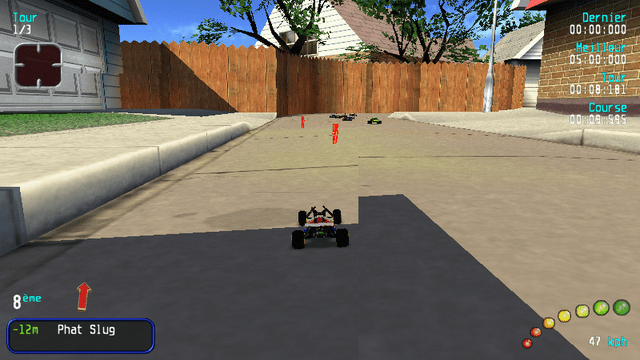
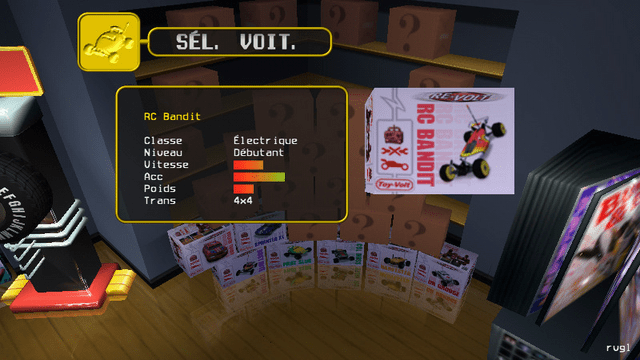
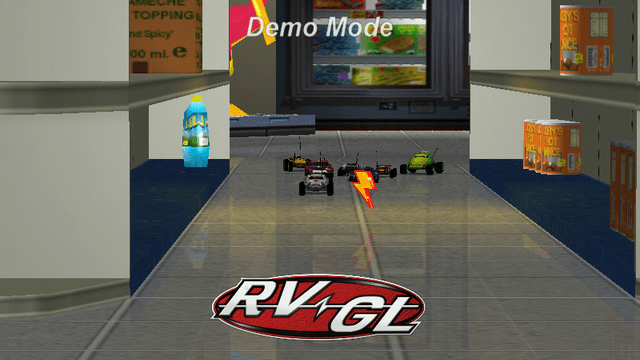
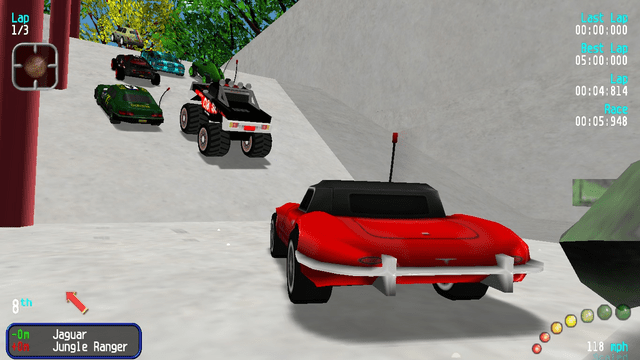
RVGL is a modern cross-platform rewrite/port of Re-Volt.
This is a native port of RVGL to the Nintendo Switch, with full support for online multiplayer.
Features
- Everything works fine as on the other versions.
- Cross-Platform multiplayer.
- Every custom content works.
- Joycons are the default controller, but usb keyboard is also supported.
- Split screen multiplayer with joycons (Just setup first the controls in the settings).
Installation
Download the latest release from here.
Create a new folder /switch/rvgl/ on your Switch.
Put the release zip contents in it.
Obtain game data and put everything in /switch/rvgl/ except rvgl.exe and the dll files.
Note: If your game is located in sdmc:/switch/rvgl/ you can install the included .nsp forwarder to have an icon for it on the home screen like the other games.
Screenshots
Media
(RVGL) Museum Unleashed - Clasica (30 cars) (CELL)
Changelog
rvgl_nx_23.1030a1_switch21fix
- Thanks to ViRb3 for these fixes:
- Fixed sound distortion after console wake up from sleep (#2)
- Fixed controller buttons swapped (X->Y, A->B)
- Fixed unable to type IP address for multiplayer with controller
- Fixed running under Atmosphere 1.10+ (#5)
- Fixed resolution resetting to 720p on start
- Custom controller curve vastly improves feeling and control
23.1030a1
- First Release.
Credits
- Huge thanks to fgsfdsfgs for the proper libunistring library and the help with the makefile!