
MapleStory DS English Translation Project: Difference between revisions
From GameBrew
More actions
No edit summary |
No edit summary |
||
| Line 1: | Line 1: | ||
{{Infobox DS Homebrews | {{Infobox DS Homebrews | ||
|title=MapleStory DS | |title=MapleStory DS | ||
|image=maplestorydsenpatch.png | |image=maplestorydsenpatch.png | ||
|description=Maple Story English translation patch. | |description=Maple Story English translation patch. | ||
Latest revision as of 01:44, 21 April 2025
| MapleStory DS | |
|---|---|
 | |
| General | |
| Author | edo1989 |
| Type | Translations |
| Version | 0.6.3 |
| License | Mixed |
| Last Updated | 2022/09/24 |
| Links | |
| Download | |
| Website | |
Maple Story English translation patch.
What is completed:
- Graphic text - 100% translated Inc. "True Ending" FMV
- In-game text translation - Warrior 10/10 (choose 'simple-minded' for first play)
Progress:
- [Done] Machine translation
- [Done] Machine proofreading
- [Done] Fix All Naming (Char, NPC, Places, Item, Equipment, Job, description, hint list) thanks to www.hidden-street.net
- [Done] Tree puzzle
- [Done] Pigmy's quest
- [Done] Ship part puzzle
- [Done] DNA puzzle
- [Ongoing] Fix format, proofread, & alter some conversation to make it more acceptable at least.
Installation
Please use the patch only on a Japan ROM dump.
| Game information | |
|---|---|
| Japanese title | メイプルストーリーDS |
| English title | MapleStory DS |
On Windows:
- Run xdelta UI.
- Search your patch_file into "Patch".
- Search your original_rom_file into "Source_File".
- Save patched_rom into "Output_File".
- Click patch.
On Linux:
- Install xdelta3 via terminal.
- Open terminal and type:
sudo apt-get install xdelta3
- In terminal, change to directory that your rom and patch files are in, then type:
xdelta3 patch "original_rom_file" "patch_file" "patched_rom_name"- Example Code:
xdelta3 patch maplestoryds.nds patch.xdelta c:/home/MapleStoryDS_PATCHED.nds
On Mac:
- Download and run MultiPatch.
- Input your patch_file into "Location of patch".
- Input your original_rom_file into "Location of file to modify".
- Input desired save_directory_for_patched_rom into "Save patched file as".
- Apply patch.
Screenshots
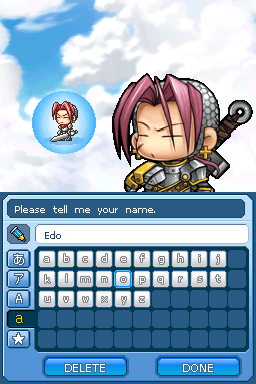
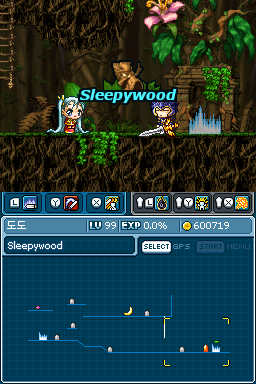
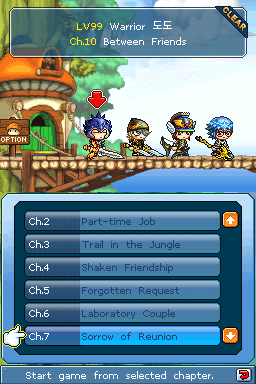
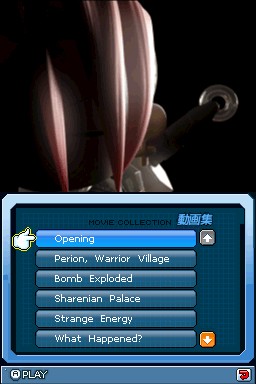
Credits
- edo1989 for Rom-hack, fix format, translation, proofreading;
- The original team led by DarthNemesis for the translation;
- The chinese team translation;
- DarthNemesis for MapleTrans;
- ereb for providing Completed Save Data;
Tools:
- Tinke (lots of stuff, very grateful to its author)
- MapleTrans by DarthNemesis (get in-game text, easy uncompress/compress game files)
- GIMP (edit tile and palette, and other graphic stuff)
- Filmora (edit video and export to MPEG)
- VirtualDubMod (convert video to AVI with Mobi compression)
- dsbuff (a simple way to pack/unpack raw game files)
- Notepad++ (text editor that has macro and RegEx support)
- Python 3 (some other stuff to inject or to do the repetitive tasks)
- DS-Scene Rom Tool (Have AP-fix database and tool for AP-fixing)
- HxD Hex Editor (Free hex editing tool)
- Cheat Engine (Searching offset address for fixing cheat)
- R4CCE (Add/edit cheat database)*
- TTDT_b4 (Edit extinfo.dat and libinfo.dat)*
- R4CCE and TTDTb4 also can be found in "RGF Muti Cart Update.zip". The thread is here.