
Super All-Star Photo Studio 3DS: Difference between revisions
More actions
No edit summary |
|||
| Line 2: | Line 2: | ||
|title=Super All-Star Photo Studio | |title=Super All-Star Photo Studio | ||
|image=SuperAllStarPhotoStudio3DS.png | |image=SuperAllStarPhotoStudio3DS.png | ||
|description=Take pictures of your favorite all-star video game characters, in glorious Horizon HD (800px mode) | |description=Take pictures of your favorite all-star video game characters, in glorious Horizon HD (800px mode). | ||
|author=RocketRobz | |author=RocketRobz | ||
|lastupdated=2024/12/26 | |lastupdated=2024/12/26 | ||
| Line 19: | Line 19: | ||
|image_alt=Super All-Star Photo Studio | |image_alt=Super All-Star Photo Studio | ||
}} | }} | ||
Imagine taking Super Smash Bros. and turning it into a giant photo shoot instead of a fighting game. | Imagine taking Super Smash Bros. and turning it into a giant photo shoot instead of a fighting game. That's Super All-Star Photo Studio! You get to snap pictures of your favorite video game characters—from Mario & Luigi and Sonic & Tails to Banjo & Kazooie and even Waluigi—anywhere you want. | ||
It's like an upgraded version of the Style Savvy photo studio feature, but with more characters and locations. You can adjust poses (though only Grace from Style Savvy can actually change hers right now), but there's no way to change expressions. You can also add new [https://github.com/RocketRobz/SuperAllStarPhotoStudio/blob/master/README.md#adding-custom-characters custom characters]. | |||
Characters, Locations, and Music by: | |||
* Namco | * Namco | ||
* Nicalis | * Nicalis | ||
| Line 73: | Line 36: | ||
(*Homebrew dev) | (*Homebrew dev) | ||
== | == Features == | ||
* Nintendo DS | * High-resolution Horizon HD (800px wide mode), exclusive to 3DS, New 3DS, and New 2DS consoles. | ||
* Pre-rendered characters and backgrounds, as well as music, from. | |||
** Super Mario. | |||
** Sonic the Hedgehog. | |||
** Pac-Man. | |||
** Banjo-Kazooie. | |||
** Style Savvy. | |||
** and more! | |||
* Around/Nearly 100 characters and 50 locations. | |||
* The first homebrew appearance of Robz' fashionable twin, Rabz. | |||
==Installation== | |||
Install the CIA file with [[FBI 3DS|FBI]]. | |||
== Controls == | |||
A - Select highlighted option | |||
D-Pad Left/Right - Select character number (highlight character option in menu first) | |||
X/B - Zoom in/out (DS(i) version) | |||
Circle Pad Up/Down - Zoom in/out (3DS version) | |||
Y - Take photo (saved in <code>sdmc:/(yourconsole)/SuperPhotoStudio/photos/</code>) | |||
== Compatibility == | |||
Works on: | |||
Nintendo DS <br> | |||
Nintendo DS⁽ⁱ⁾ <br> | |||
Nintendo 3DS/2DS | |||
==Screenshots== | ==Screenshots== | ||
https://dlhb.gamebrew.org/3dshomebrews/images/SuperAllStarPhotoStudio3DS-01.png | https://dlhb.gamebrew.org/3dshomebrews/images/SuperAllStarPhotoStudio3DS-01.png | ||
https://dlhb.gamebrew.org/3dshomebrews/images/SuperAllStarPhotoStudio3DS-02.png | https://dlhb.gamebrew.org/3dshomebrews/images/SuperAllStarPhotoStudio3DS-02.png | ||
==Changelog== | ==Changelog== | ||
'''v1.1.0''' | '''v1.1.0''' | ||
* Renamed | * Renamed to Super All-Star Photo Studio to reflect the all-star cast of characters! | ||
* | * 3DS: Hori-HD has been renamed to Horizon HD (named after Nintendo Switch's Horizon OS)! | ||
* Now runs on DS and DS Lite consoles! | * Now runs on DS and DS Lite consoles! | ||
** When running from flashcards, a page file is used in order to fit 5 characters on screen like on DSi and 3DS consoles. It is recommended to use a Memory Expansion Pak to avoid having to use up write cycles on the microSD card. | ** When running from flashcards, a page file is used in order to fit 5 characters on screen like on DSi and 3DS consoles. It is recommended to use a Memory Expansion Pak to avoid having to use up write cycles on the microSD card. | ||
* More music has been added! (Not much though.) | * More music has been added! (Not much though.) | ||
** Last-selected music will play each time you start this application. | ** Last-selected music will play each time you start this application. | ||
* Grace ( | * Grace (from Style Savvy) now has 30 poses! | ||
* Updated outfits for Robz & Rabz. | * Updated outfits for Robz & Rabz. | ||
* NightScript has been added as a new character! | * NightScript has been added as a new character! | ||
| Line 111: | Line 101: | ||
== External links == | == External links == | ||
* | * GitHub - https://github.com/RocketRobz/SuperAllStarPhotoStudio | ||
* GBAtemp - https://gbatemp.net/threads/dsi-3ds-super-photo-studio-take-pictures-of-your-favorite-all-star-characters.573276/ | |||
Latest revision as of 06:17, 2 February 2025
| Super All-Star Photo Studio | |
|---|---|
 | |
| General | |
| Author | RocketRobz |
| Type | Other Apps |
| Version | 1.1.0 |
| License | MIT License |
| Last Updated | 2024/12/26 |
| Links | |
| Download | |
| Website | |
| Source | |
Imagine taking Super Smash Bros. and turning it into a giant photo shoot instead of a fighting game. That's Super All-Star Photo Studio! You get to snap pictures of your favorite video game characters—from Mario & Luigi and Sonic & Tails to Banjo & Kazooie and even Waluigi—anywhere you want.
It's like an upgraded version of the Style Savvy photo studio feature, but with more characters and locations. You can adjust poses (though only Grace from Style Savvy can actually change hers right now), but there's no way to change expressions. You can also add new custom characters.
Characters, Locations, and Music by:
- Namco
- Nicalis
- NightScript*
- Nintendo
- Rare
- Rocket Robz*
- SEGA
- StackZ*
- Syn Sophia
(*Homebrew dev)
Features
- High-resolution Horizon HD (800px wide mode), exclusive to 3DS, New 3DS, and New 2DS consoles.
- Pre-rendered characters and backgrounds, as well as music, from.
- Super Mario.
- Sonic the Hedgehog.
- Pac-Man.
- Banjo-Kazooie.
- Style Savvy.
- and more!
- Around/Nearly 100 characters and 50 locations.
- The first homebrew appearance of Robz' fashionable twin, Rabz.
Installation
Install the CIA file with FBI.
Controls
A - Select highlighted option
D-Pad Left/Right - Select character number (highlight character option in menu first)
X/B - Zoom in/out (DS(i) version)
Circle Pad Up/Down - Zoom in/out (3DS version)
Y - Take photo (saved in sdmc:/(yourconsole)/SuperPhotoStudio/photos/)
Compatibility
Works on:
Nintendo DS
Nintendo DS⁽ⁱ⁾
Nintendo 3DS/2DS
Screenshots
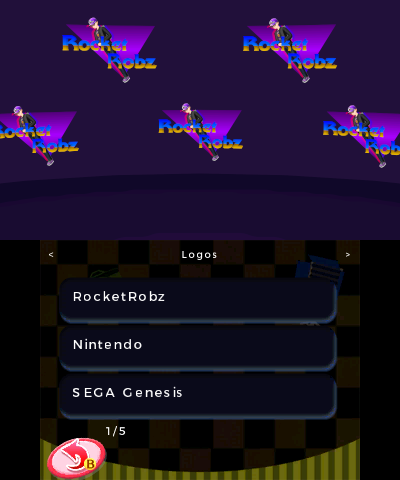
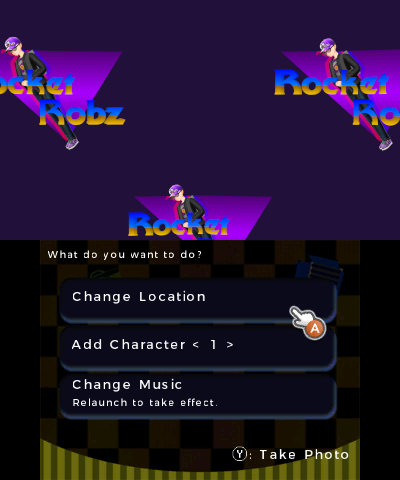
Changelog
v1.1.0
- Renamed to Super All-Star Photo Studio to reflect the all-star cast of characters!
- 3DS: Hori-HD has been renamed to Horizon HD (named after Nintendo Switch's Horizon OS)!
- Now runs on DS and DS Lite consoles!
- When running from flashcards, a page file is used in order to fit 5 characters on screen like on DSi and 3DS consoles. It is recommended to use a Memory Expansion Pak to avoid having to use up write cycles on the microSD card.
- More music has been added! (Not much though.)
- Last-selected music will play each time you start this application.
- Grace (from Style Savvy) now has 30 poses!
- Updated outfits for Robz & Rabz.
- NightScript has been added as a new character!
- Added support for custom characters! See this section for how to add them.
v1.0
- First Release.
Credits
- devkitPro: libnds, libctru, citro2d/3d, nds-hb-menu's file/folder browsing code
- Universal-Team: Universal Core
- SuperSaiyajinStackZ: StackZ and Stackie avatars
- StackZ avatar made by Rocket Robz
- NightScript: NightScript avatar (made by Rocket Robz)
- Church of Kondo: Some included remastered music
- Pk11: DSi version's font rendering code
- chyyran: DS(i) version's alpha blending and sound streaming code
- joel16: Screenshot code from 3DShell
- Freepik: Camera icon