
Sonic Robo Blast 2 Kart Switch: Difference between revisions
More actions
No edit summary |
1.6 r8 |
||
| (2 intermediate revisions by the same user not shown) | |||
| Line 4: | Line 4: | ||
|description=SRB2 Kart Public (Switch Port). | |description=SRB2 Kart Public (Switch Port). | ||
|author=heyjoeway, Craftyawesome | |author=heyjoeway, Craftyawesome | ||
|lastupdated=2025/ | |lastupdated=2025/11/16 | ||
|type=Racing | |type=Racing | ||
|version=1.6 | |version=1.6 r8 | ||
|license=GPL-2.0 | |license=GPL-2.0 | ||
|download=https://dlhb.gamebrew.org/switchhomebrews/srb2kartnx.7z | |download=https://dlhb.gamebrew.org/switchhomebrews/srb2kartnx.7z | ||
| Line 34: | Line 34: | ||
==User guide== | ==User guide== | ||
===Notes=== | ===Notes=== | ||
*A | * The game takes a bit to boot. A faster SD card or higher CPU clock may help with this. | ||
* | * OpenGL is used by default on this port. To switch to software select "Toggle Renderer" in the video options. Alternatively, delete renderer.txt or write software in that file. | ||
*The game | * Automatic resolution runs at 720p on handheld and 1080p docked (OpenGL only). For software 800x450 is recommended. | ||
*The game continues to run while on the Switch's home screen when you are unable to pause to prevent lag-switching. | * The game is CPU bottlenecked even on OpenGL. Models are an additional small performance loss. | ||
*If you want to play the game with mouse/keyboard, you'll have to bind most of the buttons yourself. | * The game continues to run while on the Switch's home screen when you are unable to pause to prevent lag-switching. | ||
*All button bindings are set to match the Xbox controller layout (Xbox A > Switch B, Xbox X > Switch Y, etc.) | * If you want to play the game with mouse/keyboard, you'll have to bind most of the buttons yourself. | ||
* All button bindings are set to match the Xbox controller layout (Xbox A -> Switch B, Xbox X -> Switch Y, etc.) | |||
==Screenshots== | ==Screenshots== | ||
| Line 56: | Line 57: | ||
==Changelog== | ==Changelog== | ||
'''v1.6 r7 | '''v1.6 r8''' | ||
* Add an option to toggle renderer (requires restarting the game) | * Recompile for Atmosphere 1.10 | ||
* Reduce Z-fighting in OpenGL | * Only NRO download is required if you installed a previous 1.6 version. | ||
* Fix saved resolution being ignored with auto resolution off | '''v1.6 r7''' | ||
* Improve menus related to auto resolution | * Add an option to toggle renderer (requires restarting the game). | ||
'''v1.6 r6 | * Reduce Z-fighting in OpenGL. | ||
* Fix saved resolution being ignored with auto resolution off. | |||
* Improve menus related to auto resolution. | |||
'''v1.6 r6''' | |||
* Make enabling auto resolution immediately trigger update. | * Make enabling auto resolution immediately trigger update. | ||
* Fix log sometimes being incomplete on exit/crash. | * Fix log sometimes being incomplete on exit/crash. | ||
'''v1.6 r5 | '''v1.6 r5''' | ||
* Update to latest master branch (net compatible). This may fix some minor issues. | * Update to latest master branch (net compatible). This may fix some minor issues. | ||
* Slight performance improvement. | * Slight performance improvement. | ||
* Improve perf when log is being spammed, such as loading some addons. | * Improve perf when log is being spammed, such as loading some addons. | ||
* Slightly speedup filesearch. | * Slightly speedup filesearch. | ||
'''v1.6 r4 | '''v1.6 r4''' | ||
* Speedup boot. | * Speedup boot. | ||
* Significantly speedup addon search and verification speed. | * Significantly speedup addon search and verification speed. | ||
* Make automatic resolution trigger on startup if enabled. | * Make automatic resolution trigger on startup if enabled. | ||
'''v1.6 r3 | '''v1.6 r3''' | ||
* This adds an auto resolution option which switches between 1080p and 720p if the switch is docked. (Only affects OpenGL) | * This adds an auto resolution option which switches between 1080p and 720p if the switch is docked. (Only affects OpenGL) | ||
* Previous release notes: | * Previous release notes: | ||
| Line 80: | Line 84: | ||
** Do not copy a 1.3 config file, or you will likely need to reset your controller config. | ** Do not copy a 1.3 config file, or you will likely need to reset your controller config. | ||
* For the full notes on 1.6 read here: https://github.com/STJr/Kart-Public/releases/tag/v1.6 | * For the full notes on 1.6 read here: https://github.com/STJr/Kart-Public/releases/tag/v1.6 | ||
'''v1.6 r2''' (by Craftyawesome) | |||
'''v1.6 r2 | |||
* This fixes a crashing issue in many tracks. | * This fixes a crashing issue in many tracks. | ||
* Previous release notes: | * Previous release notes: | ||
| Line 88: | Line 91: | ||
** Do not copy a 1.3 config file, or you will likely need to reset your controller config. | ** Do not copy a 1.3 config file, or you will likely need to reset your controller config. | ||
* For the full notes on 1.6 read here: https://github.com/STJr/Kart-Public/releases/tag/v1.6 | * For the full notes on 1.6 read here: https://github.com/STJr/Kart-Public/releases/tag/v1.6 | ||
'''v1.3 - heyjoeway''' | '''v1.3 - heyjoeway''' | ||
*No Switch-specific changes. Unlike previously, this build does feature support for HTTP downloads. | *No Switch-specific changes. Unlike previously, this build does feature support for HTTP downloads. | ||
*For the full notes on 1.3 read here: https://github.com/STJr/Kart-Public/releases/tag/v1.3 | *For the full notes on 1.3 read here: https://github.com/STJr/Kart-Public/releases/tag/v1.3 | ||
'''v1.2''' | |||
'''v1.2 | |||
*Just updating Kart to 1.2. No Switch-specific changes. However, this build does not feature the new support for HTTP downloads at the moment. You'll still have to download your add-ons the old-fashioned way. | *Just updating Kart to 1.2. No Switch-specific changes. However, this build does not feature the new support for HTTP downloads at the moment. You'll still have to download your add-ons the old-fashioned way. | ||
*For the full notes on 1.2 read here: https://github.com/STJr/Kart-Public/releases/tag/v1.2 | *For the full notes on 1.2 read here: https://github.com/STJr/Kart-Public/releases/tag/v1.2 | ||
'''v1.1''' | |||
'''v1.1 | |||
*This will likely be the final release in the 1.x line for SRB2Kart. I'm moving to GitHub for releases and changelogs to make things a bit tidier. | *This will likely be the final release in the 1.x line for SRB2Kart. I'm moving to GitHub for releases and changelogs to make things a bit tidier. | ||
*This build has been recompiled to better work with Horizon 9.x.x. If you're having issues with input and downloaded Kart a while back, re-download the patch for this release. | *This build has been recompiled to better work with Horizon 9.x.x. If you're having issues with input and downloaded Kart a while back, re-download the patch for this release. | ||
*The changelog archive below will not be included in future releases. | *The changelog archive below will not be included in future releases. | ||
'''v1.0.4.1''' | |||
'''v1.0.4.1 | |||
*Replaced synchronous software keyboard with inline keyboard. Basically, keyboard now works while online. | *Replaced synchronous software keyboard with inline keyboard. Basically, keyboard now works while online. | ||
*Added online chat support for software keyboard. | *Added online chat support for software keyboard. | ||
'''v1.0.4''' | |||
'''v1.0.4 | |||
*Updated Kart to v1.0.4. No Switch-specific changes. | *Updated Kart to v1.0.4. No Switch-specific changes. | ||
'''v1.0.3.1''' | |||
'''v1.0.3.1 | |||
*Fixed add-ons menu. | *Fixed add-ons menu. | ||
*Added online support. | *Added online support. | ||
| Line 116: | Line 113: | ||
*Tweaked default controls. | *Tweaked default controls. | ||
*Fixed multiplayer menu crash. | *Fixed multiplayer menu crash. | ||
'''v1.0.3 ''' (by heyjoeway) | |||
'''v1.0.3 | |||
*Initial release. | *Initial release. | ||
Latest revision as of 02:18, 21 November 2025
| Sonic Robo Blast 2 Kart | |
|---|---|
 | |
| General | |
| Author | heyjoeway, Craftyawesome |
| Type | Racing |
| Version | 1.6 r8 |
| License | GPL-2.0 |
| Last Updated | 2025/11/16 |
| Links | |
| Download | |
| Website | |
| Source | |
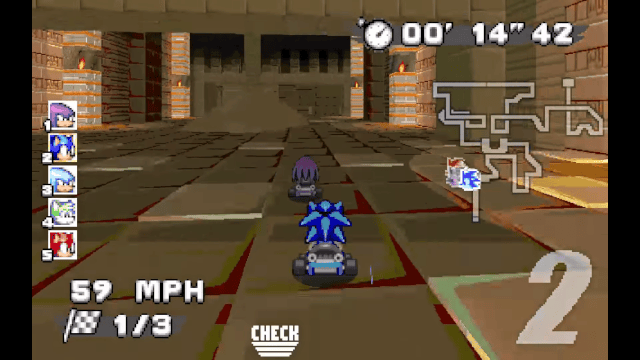
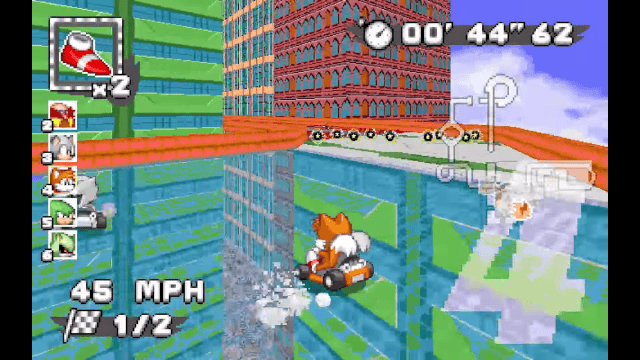
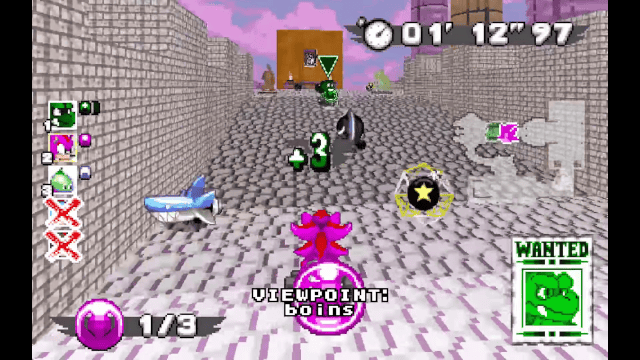
SRB2Kart is a kart racing mod based on the 3D Sonic the Hedgehog fangame Sonic Robo Blast 2, based on a modified version of Doom Legacy.
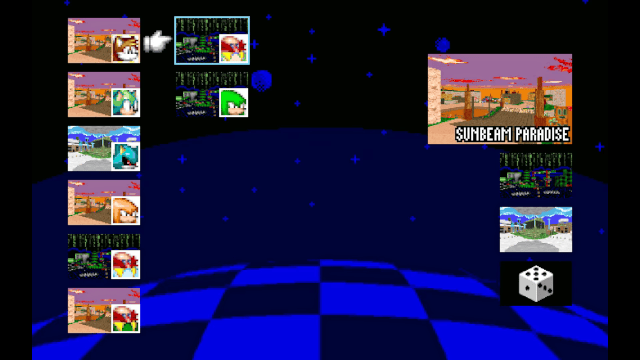
SRB2Kart is a project created by the Kart Krew, it features dozens of tracks across racing and battle modes, some fun power-ups and a drifting system. It also has a neat little in-game manual that explains most of its tricks and secrets.
Features
- Full online support.
- Full mouse/keyboard support.
- Full software keyboard support.
Installation
Make sure your Switch can run homebrew.
To install:
- Extract the contents of the zip to the root of your SD card.
- Then start SRB2 via hbmenu (or whatever method you prefer).
- If you are updating from an older version, extract the contents of the update patch to the root of your SD card. Overwrite any files that might conflict.
Note: This game requires full RAM access. This means youcannot launch hbmenu from the Album Applet when running this. With the latest Atmosphere build and its default config, you can hold R while starting any game to open hbmenu with full RAM access.
User guide
Notes
- The game takes a bit to boot. A faster SD card or higher CPU clock may help with this.
- OpenGL is used by default on this port. To switch to software select "Toggle Renderer" in the video options. Alternatively, delete renderer.txt or write software in that file.
- Automatic resolution runs at 720p on handheld and 1080p docked (OpenGL only). For software 800x450 is recommended.
- The game is CPU bottlenecked even on OpenGL. Models are an additional small performance loss.
- The game continues to run while on the Switch's home screen when you are unable to pause to prevent lag-switching.
- If you want to play the game with mouse/keyboard, you'll have to bind most of the buttons yourself.
- All button bindings are set to match the Xbox controller layout (Xbox A -> Switch B, Xbox X -> Switch Y, etc.)
Screenshots
Media
SRB2Kart v1.0 Trailer (Kart Krew)
Nintendo Switch Online Strikes Again... | SRB2 Kart (Sanok Maynik)
Changelog
v1.6 r8
- Recompile for Atmosphere 1.10
- Only NRO download is required if you installed a previous 1.6 version.
v1.6 r7
- Add an option to toggle renderer (requires restarting the game).
- Reduce Z-fighting in OpenGL.
- Fix saved resolution being ignored with auto resolution off.
- Improve menus related to auto resolution.
v1.6 r6
- Make enabling auto resolution immediately trigger update.
- Fix log sometimes being incomplete on exit/crash.
v1.6 r5
- Update to latest master branch (net compatible). This may fix some minor issues.
- Slight performance improvement.
- Improve perf when log is being spammed, such as loading some addons.
- Slightly speedup filesearch.
v1.6 r4
- Speedup boot.
- Significantly speedup addon search and verification speed.
- Make automatic resolution trigger on startup if enabled.
v1.6 r3
- This adds an auto resolution option which switches between 1080p and 720p if the switch is docked. (Only affects OpenGL)
- Previous release notes:
- This release supports OpenGL. To use it keep the renderer.txt file in the directory. To switch to software either delete that file or write software in that file.
- Known issue: Mipmaps do not work due to missing GLU.
- Do not copy a 1.3 config file, or you will likely need to reset your controller config.
- For the full notes on 1.6 read here: https://github.com/STJr/Kart-Public/releases/tag/v1.6
v1.6 r2 (by Craftyawesome)
- This fixes a crashing issue in many tracks.
- Previous release notes:
- This release supports OpenGL. To use it keep the renderer.txt file in the directory. To switch to software either delete that file or write software in that file.
- Known issue: Mipmaps do not work due to missing GLU
- Do not copy a 1.3 config file, or you will likely need to reset your controller config.
- For the full notes on 1.6 read here: https://github.com/STJr/Kart-Public/releases/tag/v1.6
v1.3 - heyjoeway
- No Switch-specific changes. Unlike previously, this build does feature support for HTTP downloads.
- For the full notes on 1.3 read here: https://github.com/STJr/Kart-Public/releases/tag/v1.3
v1.2
- Just updating Kart to 1.2. No Switch-specific changes. However, this build does not feature the new support for HTTP downloads at the moment. You'll still have to download your add-ons the old-fashioned way.
- For the full notes on 1.2 read here: https://github.com/STJr/Kart-Public/releases/tag/v1.2
v1.1
- This will likely be the final release in the 1.x line for SRB2Kart. I'm moving to GitHub for releases and changelogs to make things a bit tidier.
- This build has been recompiled to better work with Horizon 9.x.x. If you're having issues with input and downloaded Kart a while back, re-download the patch for this release.
- The changelog archive below will not be included in future releases.
v1.0.4.1
- Replaced synchronous software keyboard with inline keyboard. Basically, keyboard now works while online.
- Added online chat support for software keyboard.
v1.0.4
- Updated Kart to v1.0.4. No Switch-specific changes.
v1.0.3.1
- Fixed add-ons menu.
- Added online support.
- Added mouse/keyboard support.
- Added software keyboard support.
- Tweaked default controls.
- Fixed multiplayer menu crash.
v1.0.3 (by heyjoeway)
- Initial release.
Credits
Big thanks to carstene1ns for his work on the initial port; I really only did some polishing work to get this up and running.
Disclaimer:
- Sonic Team Junior is in no way affiliated with SEGA or Sonic Team. We do not claim ownership of any of SEGA's intellectual property used in SRB2.
- The author (heyjoeway), STJr, or the SRB2MB are in no way responsible if this port somehow manages to break your Switch.