
LRJ System PSP: Difference between revisions
From GameBrew
More actions
Created page with "{{Infobox PSP Homebrews |title=LRJ System |image=lrjsystempsp.png |description=UMD dumper, mp3 player, an image viewer, and a file explorer. |author=The LRJ Team |lastupdated=2008/05/12 |type=Operation Systems |format= |version=1.2 |license=Mixed |download=https://dlhb.gamebrew.org/psphomebrew/lrjsystempsp.7z |website=https://web.archive.org/web/20080516100442/http://pspgen.com/modules.php?name=Forums&file=viewtopic&t=110118 |source=https://dlhb.gamebrew.org/psphomebrew/..." |
No edit summary |
||
| Line 99: | Line 99: | ||
== External links == | == External links == | ||
* PSPGEN - [https://web.archive.org/web/20080516100442/http://pspgen.com/modules.php?name=Forums&file=viewtopic&t=110118 http://pspgen.com/modules.php?name=Forums&file=viewtopic&t=110118] (archived) | * PSPGEN - [https://web.archive.org/web/20080516100442/http://pspgen.com/modules.php?name=Forums&file=viewtopic&t=110118 http://pspgen.com/modules.php?name=Forums&file=viewtopic&t=110118] (archived) | ||
[[Category:Lua applications on PSP]] | |||
Latest revision as of 23:48, 29 November 2024
| LRJ System | |
|---|---|
 | |
| General | |
| Author | The LRJ Team |
| Type | Operation Systems |
| Version | 1.2 |
| License | Mixed |
| Last Updated | 2008/05/12 |
| Links | |
| Download | |
| Website | |
| Source | |
LRJ System is a Lua-coded shell application that carries features like an mp3 player, an image viewer, and a file explorer.
Controls
Menu:
Analog - Move the cursor
Cross - Confirm
MP3 player:
Up/Down - Select a song
Cross - Play
Square - Stop music
Select - Return to the menu
Dump menu:
Cross - Dump the UMD
Square - Launch the created ISO
Circle - Exit
File/Image explorer:
Up/Down - Select a folder
Cross - Confirm/Enter a folder
Triangle - Return to the root of the MS
Select - Return to the menu
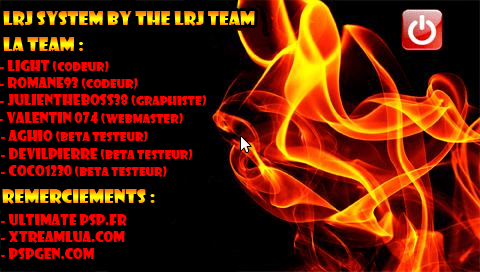
Screenshots
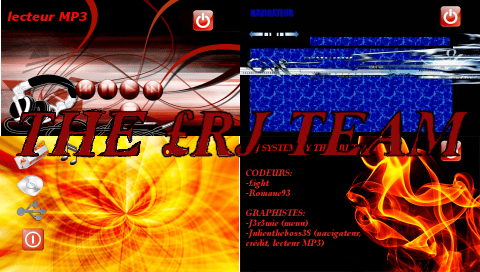
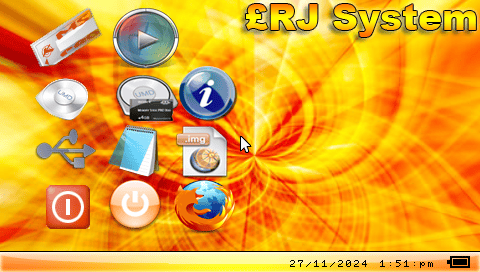
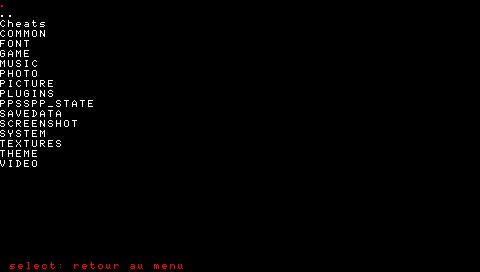
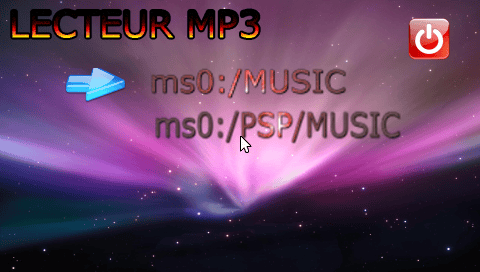
Changelog
1.2
- Bug fixes from previous versions.
- Added System Info (information about the PSP and battery status).
- Added USB Menu (USB Mode: Memory Stick, flash0, flash1, flash2, flash3).
- Option to select your Music folder (ms0:/MUSIC or ms0:/PSP/MUSIC).
v1.1
- Bug fixes from v1.0
- Added an error message if attempting to launch a UMD without inserting one
- New ICON0 for the Eboot
v1.0
- MP3 Player.
- Memory Stick Explorer (opens .pbp/.iso/.cso files).
- Image Explorer (opens .png/.jpg files).
- Launch a UMD.
- Dump a UMD to ISO.
- Launch the Internet Browser.
- USB Connection (Memory Stick).
- Put the PSP into Sleep mode.
- Exit the Shell.
Credits
Coders:
- Light
- Romane93
Graphics Designers:
- Julientheboss38
Beta Testers:
- Aghio
- DevilPierre
- Coco1230
Acknowledgments:
- UltimatePSP.fr
- Xtreamlua.com
- PSPGen.com
External links
- PSPGEN - http://pspgen.com/modules.php?name=Forums&file=viewtopic&t=110118 (archived)