Block Poppers PSP: Difference between revisions
From GameBrew
More actions
Created page with "{{Infobox PSP Homebrews |title=Block Poppers |image=blockpopperspsp.png |description=Pegs-like puzzle game. |author=Team Mini Bomber |lastupdated=2007/11/24 |type=Other Games |format= |version=2007 |license=Mixed |download=https://dlhb.gamebrew.org/psphomebrew/blockpopperspsp.7z |website=https://www.dcemu.co.uk/vbulletin/threads/80516-Block-Poppers |source=https://dlhb.gamebrew.org/psphomebrew/blockpopperspsp.7z }} Block Poppers is a Pegs-like puzzle game for the PSP. =..." |
No edit summary |
||
| (One intermediate revision by the same user not shown) | |||
| Line 2: | Line 2: | ||
|title=Block Poppers | |title=Block Poppers | ||
|image=blockpopperspsp.png | |image=blockpopperspsp.png | ||
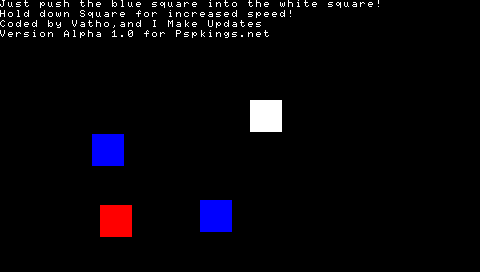
|description= | |description=Push the square to reach the white square. | ||
|author=Team Mini Bomber | |author=Team Mini Bomber | ||
|lastupdated=2007/11/24 | |lastupdated=2007/11/24 | ||
| Line 13: | Line 13: | ||
|source=https://dlhb.gamebrew.org/psphomebrew/blockpopperspsp.7z | |source=https://dlhb.gamebrew.org/psphomebrew/blockpopperspsp.7z | ||
}} | }} | ||
Block Poppers is a | Block Poppers is a Lua homebrew game developed by Team Mini Bomber. | ||
== Features == | == Features == | ||
| Line 35: | Line 35: | ||
== External links == | == External links == | ||
* DCEmu - https://www.dcemu.co.uk/vbulletin/threads/80516-Block-Poppers | * DCEmu - https://www.dcemu.co.uk/vbulletin/threads/80516-Block-Poppers | ||
[[Category:Lua games on PSP]] | |||
Latest revision as of 00:53, 1 January 2025
| Block Poppers | |
|---|---|
 | |
| General | |
| Author | Team Mini Bomber |
| Type | Other Games |
| Version | 2007 |
| License | Mixed |
| Last Updated | 2007/11/24 |
| Links | |
| Download | |
| Website | |
| Source | |
Block Poppers is a Lua homebrew game developed by Team Mini Bomber.
Features
- 5 levels.
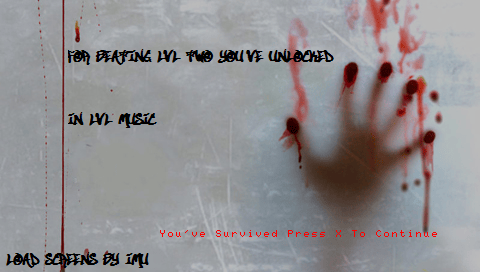
- Load screens.
- Music.
User guide
The objective is to reach the white square by moving the blue square while avoiding other moving squares on the screen.
Controls
Cross - Confirm, Advance (menus)
D-Pad - Move the blue square
Screenshots