
Poppin: Difference between revisions
From GameBrew
More actions
m Text replacement - "|download=https://dlhb.gamebrew.org/dshomebrew/" to "|download=https://dlhb.gamebrew.org/dshomebrew2/" |
No edit summary |
||
| (One intermediate revision by the same user not shown) | |||
| Line 8: | Line 8: | ||
|version=0.4 | |version=0.4 | ||
|license=Mixed | |license=Mixed | ||
|download=https://dlhb.gamebrew.org/dshomebrew2/ | |download=https://dlhb.gamebrew.org/dshomebrew2/poppin_0.4.rar | ||
|website=http://forum.palib.info/index.php?topic=6826.msg51486#msg51486 | |website=http://forum.palib.info/index.php?topic=6826.msg51486#msg51486 | ||
}} | }} | ||
Poppin is a | Poppin is a balloons popping puzzle game for the NDS. It has 3 difficulty modes. | ||
==User guide== | ==User guide== | ||
Latest revision as of 06:16, 6 February 2025
| Poppin | |
|---|---|
 | |
| General | |
| Author | jgc146 |
| Type | Puzzle |
| Version | 0.4 |
| License | Mixed |
| Last Updated | 2009/03/24 |
| Links | |
| Download | |
| Website | |
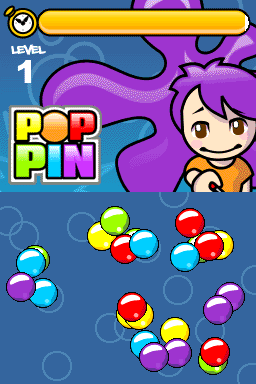
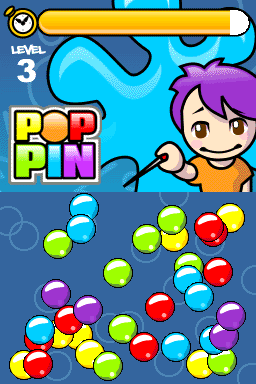
Poppin is a balloons popping puzzle game for the NDS. It has 3 difficulty modes.
User guide
Pop the balloons of the color that appears on the upper screen as soon as possible to complete a level.
You can choose between Easy mode (completed), Normal mode (10 levels) and Hard mode (7 levels).
Controls
Stylus - Pop balloons
Screenshots
Online emulator
| Nintendo DS | Keyboard |
|---|---|

|

|

|

|

|

|

|

|

|

|

|

|

|

|

|

|

|

|
Compatibility
Tested on:
R4 Original (firmware 1.17)
M3DS Real (Sakura System firmware 1.35)
Changelog
Version 0.4
- Significantly improved the graphics.
- Added more music.
- Improved the environment.
- Fixed a bug.
- Added text indicating the level.