
FMSX PS4: Difference between revisions
From GameBrew
More actions
Created page with "{{Infobox PS4 Homebrews |title=FMSX |image=fmsxps4.png |description=A emulator for MSX MSX2 and MSX2+. |author=bigboss |lastupdated=2018/06/23 |type=Computer |version=2018 |license=Mixed |download=https://dlhb.gamebrew.org/ps4homebrews/fmsxps4.7z |website=https://www.psx-place.com/resources/fmsx-msx-msx2-and-msx2-emulator-for-ps4.728/ |source=https://github.com/psxdev/fmsx |donation= }} {{#seo: |title= (Computer) - GameBrew |title_mode=append |image=fmsxps4.png |image_al..." |
No edit summary |
||
| (4 intermediate revisions by 2 users not shown) | |||
| Line 12: | Line 12: | ||
|source=https://github.com/psxdev/fmsx | |source=https://github.com/psxdev/fmsx | ||
|donation= | |donation= | ||
}} | }}<!--pz--> | ||
This is a port of [https://fms.komkon.org/fMSX/ fMSX] to the PS4. It is an emulator created by Marat Fayzullin for 8bit home computers MSX, MSX2, and MSX2+. | |||
==User guide== | |||
* MSX2 is loaded by default, if you have a bluetooth keyboard you can write your basic programs. | |||
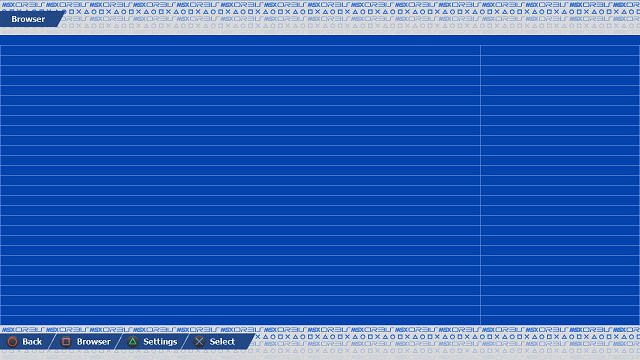
* Press L2 + R2: to go to menu where you can browser in your pc/mac folders to choose a ROM or DSK or CAS press X. | |||
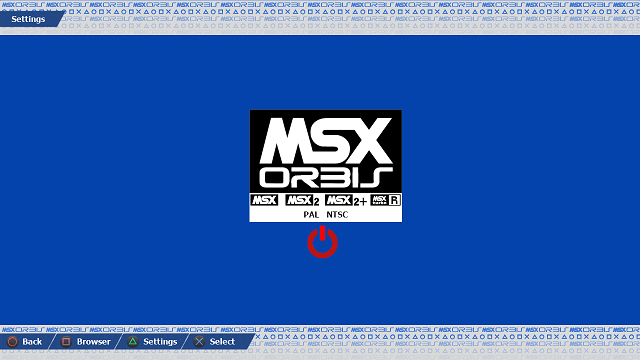
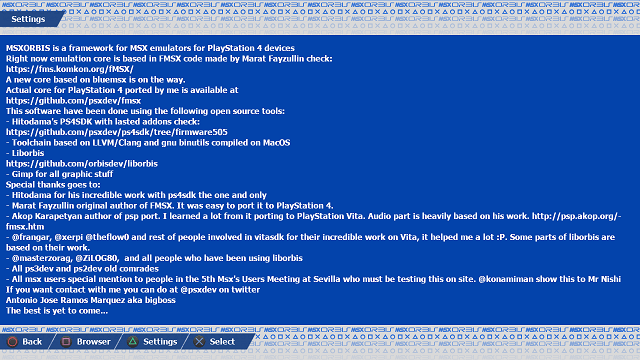
* You can go to settings pressing triangle. | |||
* You can choose MSX MSX2 and MSX2+ and PAL or NTSC mode, pressing X. | |||
* Red power button let you reset the msx system with new settings. | |||
==Screenshots== | |||
https://dlhb.gamebrew.org/ps4homebrews/fmsxps4-02.png | |||
https://dlhb.gamebrew.org/ps4homebrews/fmsxps4-03.png | |||
https://dlhb.gamebrew.org/ps4homebrews/fmsxps4-04.png | |||
==Media== | ==Media== | ||
'''Emulator MSX - Nemesis 2 and Metal Gear on PS4 on PlayStation 4''' ([https://www.youtube.com/watch?v=-2BQ7h8cB40 Tralala LS]) <br> | '''Emulator MSX - Nemesis 2 and Metal Gear on PS4 on PlayStation 4''' ([https://www.youtube.com/watch?v=-2BQ7h8cB40 Tralala LS]) <br> | ||
<youtube width= | <youtube width="640">-2BQ7h8cB40</youtube> | ||
==Changelog== | ==Changelog== | ||
'''12/10/2018''' | '''12/10/2018''' | ||
*msxorbis code for 5th MSX RU Sevilla 2018 | *msxorbis code for 5th MSX RU Sevilla 2018. | ||
'''23/06/2018''' | '''23/06/2018''' | ||
*5.05 support | *5.05 support. | ||
'''25/12/2017''' | '''25/12/2017''' | ||
*Initial release | *Initial release. | ||
== External links == | == External links == | ||
* GitHub - https://github.com/psxdev/fmsx | |||
* PSX-Place - https://www.psx-place.com/resources/fmsx-msx-msx2-and-msx2-emulator-for-ps4.728/ | * PSX-Place - https://www.psx-place.com/resources/fmsx-msx-msx2-and-msx2-emulator-for-ps4.728/ | ||
Latest revision as of 04:05, 2 December 2025
| FMSX | |
|---|---|
 | |
| General | |
| Author | bigboss |
| Type | Computer |
| Version | 2018 |
| License | Mixed |
| Last Updated | 2018/06/23 |
| Links | |
| Download | |
| Website | |
| Source | |
This is a port of fMSX to the PS4. It is an emulator created by Marat Fayzullin for 8bit home computers MSX, MSX2, and MSX2+.
User guide
- MSX2 is loaded by default, if you have a bluetooth keyboard you can write your basic programs.
- Press L2 + R2: to go to menu where you can browser in your pc/mac folders to choose a ROM or DSK or CAS press X.
- You can go to settings pressing triangle.
- You can choose MSX MSX2 and MSX2+ and PAL or NTSC mode, pressing X.
- Red power button let you reset the msx system with new settings.
Screenshots
Media
Emulator MSX - Nemesis 2 and Metal Gear on PS4 on PlayStation 4 (Tralala LS)
Changelog
12/10/2018
- msxorbis code for 5th MSX RU Sevilla 2018.
23/06/2018
- 5.05 support.
25/12/2017
- Initial release.