
Reicast PS4: Difference between revisions
From GameBrew
More actions
No edit summary |
No edit summary |
||
| (2 intermediate revisions by the same user not shown) | |||
| Line 1: | Line 1: | ||
{{Infobox PS4 Homebrews | {{Infobox PS4 Homebrews | ||
|title=Reicast | |title=Reicast | ||
|image= | |image=reicastps42.png | ||
|description=Sega Dreamcast on the PlayStation 4. | |description=Sega Dreamcast on the PlayStation 4. | ||
|author=Znullptr | |author=Znullptr | ||
|lastupdated=2019/06/16 | |lastupdated=2019/06/16 | ||
|type=Console | |type=Console | ||
|version= | |version=Beta 3 | ||
|license=Mixed | |license=Mixed | ||
|download=https://dlhb.gamebrew.org/ps4homebrews/reicastps4.7z | |download=https://dlhb.gamebrew.org/ps4homebrews/reicastps4.7z | ||
| Line 12: | Line 12: | ||
|source= | |source= | ||
|donation=https://www.patreon.com/znullptr | |donation=https://www.patreon.com/znullptr | ||
}} | }}<!--pz--> | ||
A early build of [https://github.com/reicast/reicast-emulator Reicast] port to the PS4 by Znullptr. | |||
==Installation== | |||
'''Note:''' Requires Dreamcast BOIS files (dc_flash.bin, dc_boot.bin). | |||
Install the .pkg file on the PS4. | |||
Connect your PC to the PS4 with an FTP client. | |||
Locate the reicast directory and upload the BIOS files to reicast/data/. | |||
==Screenshots== | |||
[[File:reicastps43.png|640px|link=]] | |||
https://dlhb.gamebrew.org/ps4homebrews/images/reicastps45.png | |||
==Media== | ==Media== | ||
'''Reicast Beta Emulator For PS4 (Homebrew)''' ([https://www.youtube.com/watch?v=WXktUwnJ4D8 Master Turkey]) <br> | '''Reicast Beta Emulator For PS4 (Homebrew)''' ([https://www.youtube.com/watch?v=WXktUwnJ4D8 Master Turkey]) <br> | ||
<youtube width= | <youtube width="640">WXktUwnJ4D8</youtube> | ||
'''Reicast: Dreamcast Emulator For The PS4 [BETA-WIP]''' ([https://www.youtube.com/watch?v=CVr-bmPjuYM Nagato's Revenge]) <br> | '''Reicast: Dreamcast Emulator For The PS4 [BETA-WIP]''' ([https://www.youtube.com/watch?v=CVr-bmPjuYM Nagato's Revenge]) <br> | ||
<youtube width= | <youtube width="640">CVr-bmPjuYM</youtube> | ||
== | ==Compatibility== | ||
HEN 1.9+ | |||
==Known issues== | |||
This is still in development and does not run in full speed. | |||
== External links == | == External links == | ||
* PSXHax - https://www.psxhax.com/threads/reicast-sega-dreamcast-emulator-ps4-port-in-development-demo-video.6776/page-4 | * PSXHax - https://www.psxhax.com/threads/reicast-sega-dreamcast-emulator-ps4-port-in-development-demo-video.6776/page-4 | ||
Latest revision as of 04:05, 2 December 2025
| Reicast | |
|---|---|
 | |
| General | |
| Author | Znullptr |
| Type | Console |
| Version | Beta 3 |
| License | Mixed |
| Last Updated | 2019/06/16 |
| Links | |
| Download | |
| Website | |
| Support Author | |
A early build of Reicast port to the PS4 by Znullptr.
Installation
Note: Requires Dreamcast BOIS files (dc_flash.bin, dc_boot.bin).
Install the .pkg file on the PS4.
Connect your PC to the PS4 with an FTP client.
Locate the reicast directory and upload the BIOS files to reicast/data/.
Screenshots
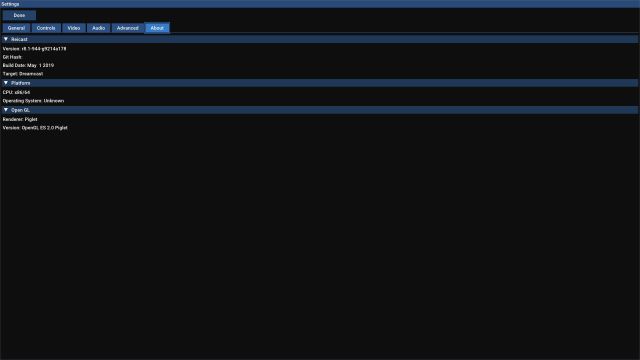
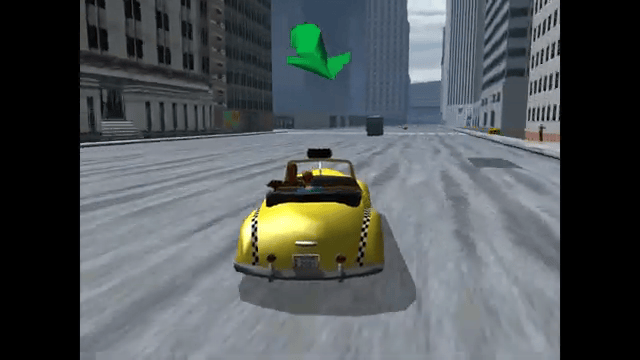
Media
Reicast Beta Emulator For PS4 (Homebrew) (Master Turkey)
Reicast: Dreamcast Emulator For The PS4 [BETA-WIP] (Nagato's Revenge)
Compatibility
HEN 1.9+
Known issues
This is still in development and does not run in full speed.