
Minesweeper for Windows GB: Difference between revisions
From GameBrew
More actions
No edit summary |
No edit summary |
||
| Line 7: | Line 7: | ||
|type=Puzzle | |type=Puzzle | ||
|version=2000 | |version=2000 | ||
|license=Mixed | |||
|format=CGB | |format=CGB | ||
|download=https://dlhb.gamebrew.org/gbhomebrews/minesweeperforwindows.zip | |||
|download=https://dlhb.gamebrew.org/gbhomebrews/ | |||
|website=https://web.archive.org/web/20001028185257/http://www.quangdx.com/gbdev2000.shtml | |website=https://web.archive.org/web/20001028185257/http://www.quangdx.com/gbdev2000.shtml | ||
}} | }} | ||
{{#seo: | {{#seo: | ||
Latest revision as of 11:02, 30 July 2024
| Minesweeper for Windows | |
|---|---|
 | |
| General | |
| Author | Stephen Stair |
| Type | Puzzle |
| Version | 2000 |
| License | Mixed |
| System | CGB |
| Last Updated | 2000/08/28 |
| Links | |
| Download | |
| Website | |
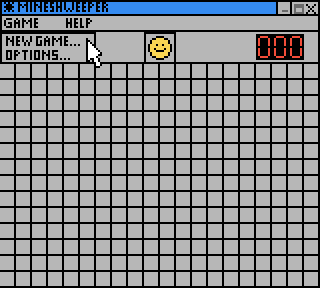
A Game Boy Color version of Windows Minesweeper.
Developed for the GBdev 2000 competition.
User guide
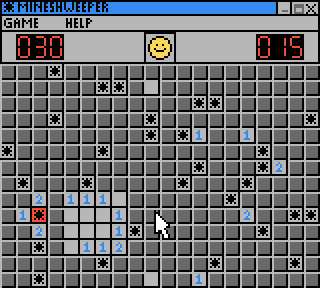
Use the A button to uncover the square of the gameboard. If it is a mine, then you lose.
If it is not a mine, then the square will tell you something about the square around it, in the form of a number, which tells you how many mines are around that square.
Controls
D-Pad - Move pointer
A - Uncover a square
B - Place a flag/question mark
Screenshots
External links
- Author's website - https://www.akkit.org/
- GBdev 2000 - http://www.quangdx.com/gbdev2000.shtml (archived)