
Zelda3 Vita: Difference between revisions
From GameBrew
More actions
No edit summary |
|||
| (7 intermediate revisions by 2 users not shown) | |||
| Line 4: | Line 4: | ||
|description=Port of The Legend of Zelda: A Link to the Past. | |description=Port of The Legend of Zelda: A Link to the Past. | ||
|author=Rinnegatamante | |author=Rinnegatamante | ||
|lastupdated= | |lastupdated=2025/07/13 | ||
|type=Adventure | |type=Adventure | ||
|version=1. | |version=1.3 | ||
|license=MIT | |license=MIT | ||
|download=https://dlhb.gamebrew.org/vitahomebrews/zelda3alinktothepastvita.7z?k33p0fil35 | |download=https://dlhb.gamebrew.org/vitahomebrews/zelda3alinktothepastvita.7z?k33p0fil35 | ||
| Line 34: | Line 34: | ||
==Installation== | ==Installation== | ||
In order to run this, you need to extract the file zelda3_assets.dat from a dump of your own The Legend of Zelda: A Link to The Past US SNES cartridge. | |||
Instructions (PC): | |||
* Download [https://www.python.org/ftp/python/3.10.7/python-3.10.7-amd64.exe Python installer] and install. | |||
* Open the command prompt. | |||
* Type <code>python -m pip install --upgrade pip</code> and hit enter. | |||
* Type <code>python -m pip install --upgrade Pillow</code> and hit enter. | |||
* Type <code>python -m pip install --upgrade pyyaml</code> and hit enter. | |||
* Close the command prompt. | |||
* Download https://github.com/snesrev/zelda3/archive/refs/heads/master.zip | |||
* | * Extract zelda3-master.zip somewhere and open zelda3-master folder. | ||
*Place zelda3_assets.dat file in ux0:data/zelda3/ | * Place your US rom of the game named as zelda3.sfc in this folder. | ||
* Run extract_assets.bat. | |||
Instructions (Vita): | |||
* Install the .vpk file and extract zelda3_attp.zip to ux0:data/. | |||
* Place zelda3_assets.dat file in ux0:data/zelda3/. | |||
Options: | Options: | ||
| Line 60: | Line 64: | ||
https://dlhb.gamebrew.org/vitahomebrews/zelda3alinktothepastvita5.jpg | https://dlhb.gamebrew.org/vitahomebrews/zelda3alinktothepastvita5.jpg | ||
==Changelog== | ==Changelog== | ||
'''v1.3''' | |||
* Removed validation layers: this improves overall performance. | |||
* Fully inlined PPU codepath: this improves performance of around 7-8%. | |||
'''v1.2.1''' | |||
* Added possibility to play in 4:3 unstretched by setting 4:3 extended aspect ratio and ignore aspect ratio to false. | |||
* Added loading screen image at boot (pic0.png). | |||
'''v1.2''' | '''v1.2''' | ||
* Downstreamed to latest official commit. (Fixes several issues and improves performances, NOTE: Assets must be re-extracted) | * Downstreamed to latest official commit. (Fixes several issues and improves performances, NOTE: Assets must be re-extracted) | ||
| Line 75: | Line 85: | ||
==External links== | ==External links== | ||
* GitHub - https://github.com/Rinnegatamante/zelda3 | * GitHub - https://github.com/Rinnegatamante/zelda3 | ||
* VitaDB - https:// | * VitaDB - https://www.rinnegatamante.eu/vitadb/#/info/993 | ||
* PSX-Place - https://www.psx-place.com/threads/release-zelda3-vita-port-of-the-legend-of-zelda-a-link-to-the-past.38470/ | * PSX-Place - https://www.psx-place.com/threads/release-zelda3-vita-port-of-the-legend-of-zelda-a-link-to-the-past.38470/ | ||
[[Category:Other game ports on Vita]] | |||
[[Category:Vita game ports]] | |||
Latest revision as of 12:04, 20 July 2025
| The Legend of Zelda: A Link to The Past | |
|---|---|
 | |
| General | |
| Author | Rinnegatamante |
| Type | Adventure |
| Version | 1.3 |
| License | MIT License |
| Last Updated | 2025/07/13 |
| Links | |
| Download | |
| Website | |
| Source | |
| Support Author | |
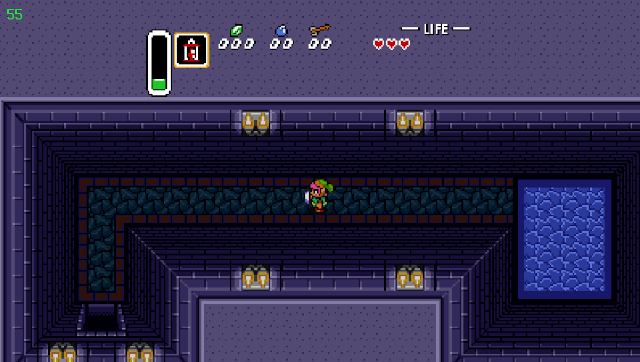
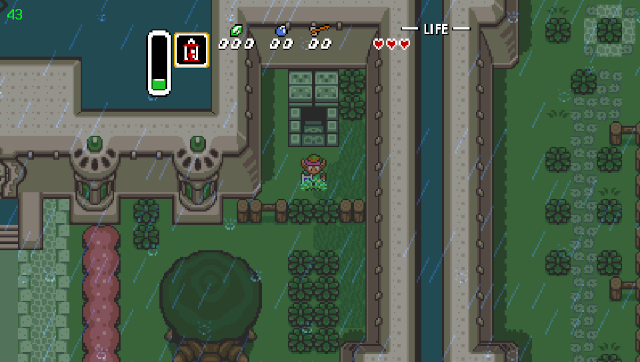
Zelda3 Vita is a port of zelda3, a reimplementation of The Legend of Zelda: A Link to The Past with several enhancements.
Features
- Secondary item slot on button X (Hold X in inventory to select).
- Displays max rupees, bombs and arrows with yellow or orange color.
- Extends throwing bombs to four instead of two.
- Support for MSU audio tracks.
- Support for enhanced aspect ratios of 16:9 or 16:10.
- Switching current item with L/R keys.
- Reordering of inventory by pressing Y+Arrows.
- Higher quality map screen.
- Disable low health beep.
- Pick up items and destroy pots with Sword.
Installation
In order to run this, you need to extract the file zelda3_assets.dat from a dump of your own The Legend of Zelda: A Link to The Past US SNES cartridge.
Instructions (PC):
- Download Python installer and install.
- Open the command prompt.
- Type
python -m pip install --upgrade pipand hit enter. - Type
python -m pip install --upgrade Pillowand hit enter. - Type
python -m pip install --upgrade pyyamland hit enter. - Close the command prompt.
- Download https://github.com/snesrev/zelda3/archive/refs/heads/master.zip
- Extract zelda3-master.zip somewhere and open zelda3-master folder.
- Place your US rom of the game named as zelda3.sfc in this folder.
- Run extract_assets.bat.
Instructions (Vita):
- Install the .vpk file and extract zelda3_attp.zip to ux0:data/.
- Place zelda3_assets.dat file in ux0:data/zelda3/.
Options:
- Several options can be changed by editing the file ux0:data/zelda3/zelda3.ini.
- If you care more about framerate than widescreen, 4:3 aspect ratio is suggested to be set.
- (4:3 ensures game is always fullspeed whilst with widescreen, sometimes game drops down around 45 fps).
Screenshots
Changelog
v1.3
- Removed validation layers: this improves overall performance.
- Fully inlined PPU codepath: this improves performance of around 7-8%.
v1.2.1
- Added possibility to play in 4:3 unstretched by setting 4:3 extended aspect ratio and ignore aspect ratio to false.
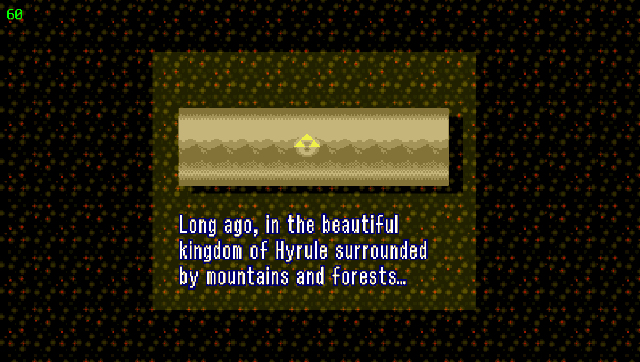
- Added loading screen image at boot (pic0.png).
v1.2
- Downstreamed to latest official commit. (Fixes several issues and improves performances, NOTE: Assets must be re-extracted)
v1.1
- Fixed a bug making 4:3 aspect ratio to be always stretched. Now it will be stretched only if IgnoreAspectRatio is enabled,
- Added bilinear filtering option (BilinearFiltering).
v1.0
- First Release.
Credits
- Brandonheat8 for the Livearea assets.
- snesrev and everyone involved in the original recreation project.