
PS4 Player 3D: Difference between revisions
From GameBrew
More actions
No edit summary |
m Text replacement - "https://www.paypal.com/paypalme/LapyGames" to "https://ko-fi.com/lapygamez" |
||
| (3 intermediate revisions by the same user not shown) | |||
| Line 9: | Line 9: | ||
|license=Mixed | |license=Mixed | ||
|download=https://dlhb.gamebrew.org/ps4homebrews/ps4player3d.7z | |download=https://dlhb.gamebrew.org/ps4homebrews/ps4player3d.7z | ||
|website=https:// | |website=https://lapygames.wordpress.com/apps/ | ||
|source= | |source= | ||
|donation=https:// | |donation=https://ko-fi.com/lapygamez | ||
}} | }} | ||
{{#seo: | {{#seo: | ||
| Line 19: | Line 19: | ||
|image_alt=PS4 Player 3D | |image_alt=PS4 Player 3D | ||
}} | }} | ||
This homebrew app supports 3D video playback with PSVR. | |||
==Features== | |||
* 3D video player with VR support (optional). | |||
* Recognizes video type from filename tags. | |||
==Installation== | |||
Install the pkg file on the PS4. | |||
Copy your 3D videos to a folder named 3DVideos on the USB device or in the data directory. | |||
Add one of the following suffixes to your video file names to configure your playback (e.g. MyVideo_LR.mp4): | |||
_180 (for 180º videos) | |||
_360 (for 360º videos) | |||
_TB (for TOP BUTTON videos) | |||
_LR (for LEFT RIGHT videos) | |||
_EQU _CUB _EAC | |||
==Screenshots== | ==Screenshots== | ||
| Line 38: | Line 45: | ||
https://dlhb.gamebrew.org/ps4homebrews/ps4player3d-04.png | https://dlhb.gamebrew.org/ps4homebrews/ps4player3d-04.png | ||
==Media== | |||
'''PS4 Player 3D 1.00 by Laby for PS4 9.00 or Lower TESTING | Works on PS5''' ([https://www.youtube.com/watch?v=uhEcDJXrwjw DRAVSZOO]) <br> | |||
<youtube width="640">uhEcDJXrwjw</youtube> | |||
==Compatibility== | |||
Support for 5.00 - 11.00 | |||
==Changelog== | ==Changelog== | ||
| Line 46: | Line 60: | ||
== External links == | == External links == | ||
* Author's website - https://lapygames.wordpress.com/ | |||
* PKG-Zone - https://pkg-zone.com/details/LAPY20014 | |||
* Twitter - https://x.com/Lapy05575948/status/1789691575141867959 | |||
* Twitter- https://twitter.com/Lapy05575948/status/1772317656042951031 | * Twitter- https://twitter.com/Lapy05575948/status/1772317656042951031 | ||
Latest revision as of 01:25, 20 June 2025
| PS4 Player 3D | |
|---|---|
 | |
| General | |
| Author | Lapy |
| Type | Media Players |
| Version | 1.01 |
| License | Mixed |
| Last Updated | 2024/05/13 |
| Links | |
| Download | |
| Website | |
| Support Author | |
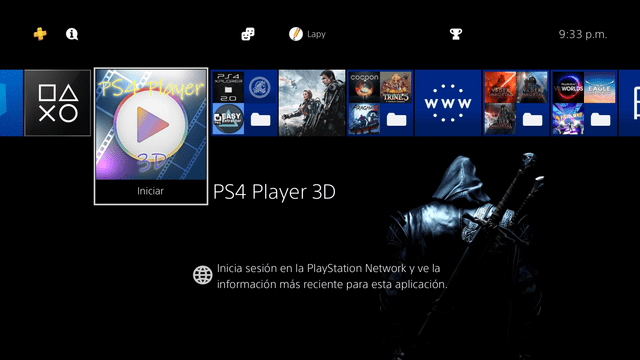
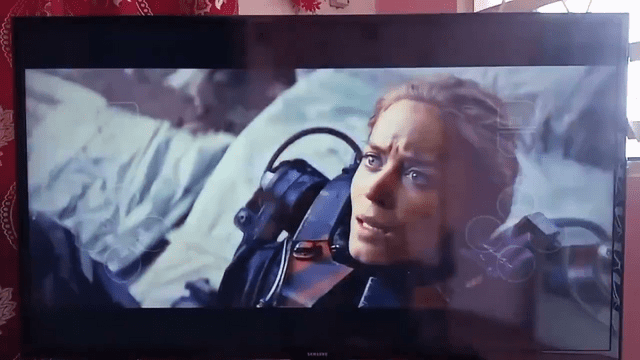
This homebrew app supports 3D video playback with PSVR.
Features
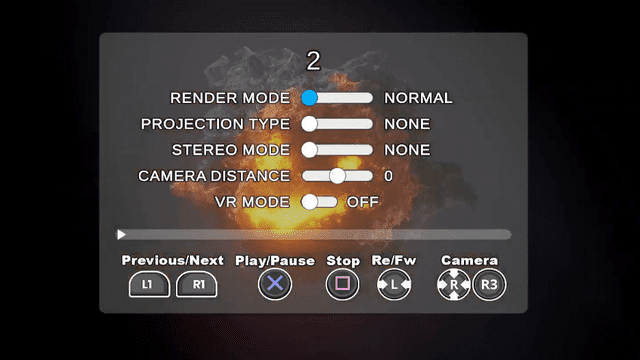
- 3D video player with VR support (optional).
- Recognizes video type from filename tags.
Installation
Install the pkg file on the PS4.
Copy your 3D videos to a folder named 3DVideos on the USB device or in the data directory.
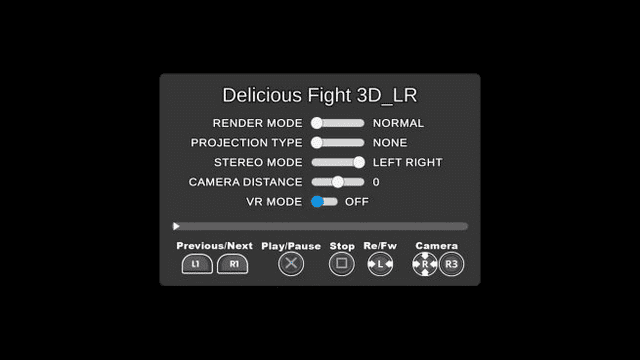
Add one of the following suffixes to your video file names to configure your playback (e.g. MyVideo_LR.mp4):
_180 (for 180º videos)
_360 (for 360º videos)
_TB (for TOP BUTTON videos)
_LR (for LEFT RIGHT videos)
_EQU _CUB _EAC
Screenshots
Media
PS4 Player 3D 1.00 by Laby for PS4 9.00 or Lower TESTING | Works on PS5 (DRAVSZOO)
Compatibility
Support for 5.00 - 11.00
Changelog
v1.01
- Added support for firmware from 5.00 to 11.00 thanks to @notnotzecoxao and @LightningMods.
v1.0
- First Release.
External links
- Author's website - https://lapygames.wordpress.com/
- PKG-Zone - https://pkg-zone.com/details/LAPY20014
- Twitter - https://x.com/Lapy05575948/status/1789691575141867959
- Twitter- https://twitter.com/Lapy05575948/status/1772317656042951031