
Flappy Bird 3D Wii U: Difference between revisions
From GameBrew
More actions
m Text replacement - "ForTheUsers - " to "Homebrew App Store - " |
|||
| (One intermediate revision by the same user not shown) | |||
| Line 25: | Line 25: | ||
(Optional) Channel: | (Optional) Channel: | ||
* Put the Flappy Bird folder on an SD card in the "install" folder. | * Put the Flappy Bird folder on an SD card in the "install" folder. | ||
* Use [[ | * Use [[WUP Installer GX2 Wii U|WUP Installer]] to install to your NAND or USB. It is recommended to install to USB. | ||
* Signature patching is required. | * Signature patching is required. | ||
| Line 45: | Line 45: | ||
* GitHub - https://github.com/xhp-creations | * GitHub - https://github.com/xhp-creations | ||
* GBAtemp - https://gbatemp.net/threads/release-hbl-flappy-bird-gx2.444091/post-7172158 | * GBAtemp - https://gbatemp.net/threads/release-hbl-flappy-bird-gx2.444091/post-7172158 | ||
* | * Homebrew App Store - https://hb-app.store/wiiu/flappy_bird_3d | ||
Latest revision as of 10:41, 23 November 2025
| Flappy Bird 3D | |
|---|---|
 | |
| General | |
| Author | brienj |
| Type | Arcade Games |
| Version | 3.0 |
| License | Mixed |
| Last Updated | 2017/03/13 |
| Links | |
| Download | |
| Website | |
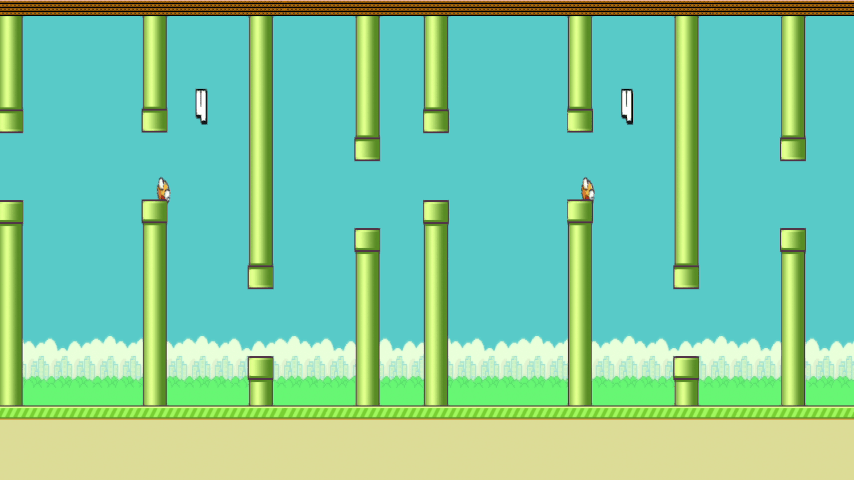
A Flappy Bird clone for Wii U using 3D graphics, rewritten based on Flappy Bird GX2.
Uses SBS 3D, compatible TV/monitor required.
Installation
Extract the zip file and copy the wiiu folder to the root of the SD card.
(Optional) Channel:
- Put the Flappy Bird folder on an SD card in the "install" folder.
- Use WUP Installer to install to your NAND or USB. It is recommended to install to USB.
- Signature patching is required.
User guide
Don't hit pipes!
And don't fall down too!
Controls
A - Start the game, Jump
Screenshots
Credits
rw-r-r_0644 - Original Flappy Bird GX2.
External links
- GitHub - https://github.com/xhp-creations
- GBAtemp - https://gbatemp.net/threads/release-hbl-flappy-bird-gx2.444091/post-7172158
- Homebrew App Store - https://hb-app.store/wiiu/flappy_bird_3d