
NX Archive Browser Switch: Difference between revisions
More actions
No edit summary |
No edit summary |
||
| Line 19: | Line 19: | ||
|image_alt=NX Archive Browser | |image_alt=NX Archive Browser | ||
}} | }} | ||
A Switch homebrew that allows users to browse and download archives from [https://archive.org/ archive.org]. | A Switch homebrew that allows users to browse and download archives from [https://archive.org/ archive.org]. Developed with [[Nx.js_Switch|nx.js]]. | ||
== Installation == | == Installation == | ||
Latest revision as of 09:25, 5 May 2024
| NX Archive Browser | |
|---|---|
 | |
| General | |
| Author | mklan |
| Type | Other Apps |
| Version | 0.1.3 |
| License | Mixed |
| Last Updated | 2024/04/29 |
| Links | |
| Download | |
| Website | |
| Source | |
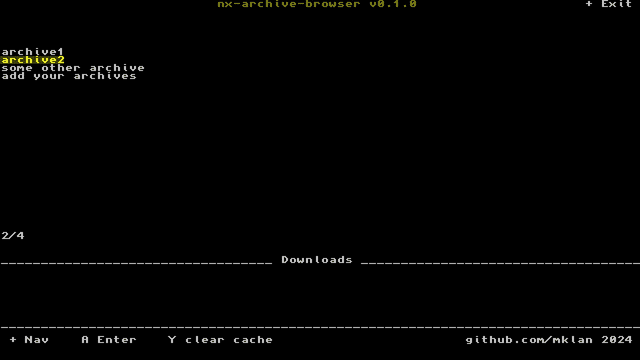
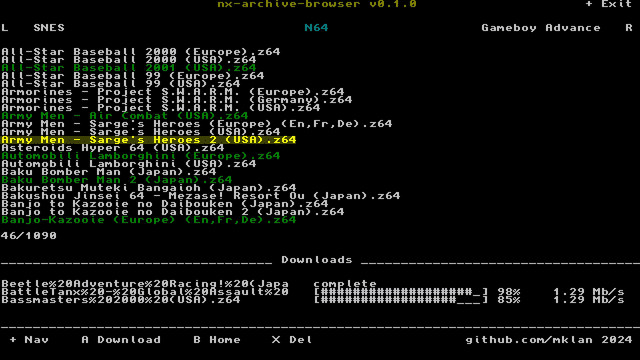
A Switch homebrew that allows users to browse and download archives from archive.org. Developed with nx.js.
Installation
Copy nx-archive-browser.nro to /switch. The app will appear on the Homebrew Menu.
Configure your archive collections and root download folder in config/nx-archive-browser/config.json. The keys represent collection folders inside your download folder. The values are archive.org identifier of collections.
Example:
{
  "folder": "roms",
  "collections": {
    "N64": "SomeCollectionByGhostw***",
    "SNES": "SomeOtherCollectionByGhostw***"
  }
}
The archives will be downloaded to sdmc:/roms/N64 and sdmc:/roms/SNES.
Note: Read the legal terms of archive.org. It is advised to only download licence free archives, archives you developed on your own or in some cases own a copy of the original product (depends where you are located).
Screenshots
Changelog
v0.1.3
- fix: Fix broken links for titles with special chars
v0.1.2
- Fix: clearing cache a second time lead to crash.
v0.1.1
- Fix: error when deleting unavailable file.
v0.1.0
- First Release.
Credits
TooTallNate - nxjs - JS runtime for the Switch.