
Gacubeboy Wii U: Difference between revisions
More actions
Created page with "{{Infobox WiiU Homebrews |title=Gacubeboy |image=gacubeboywiiu.png |description=A Gameboy emulator for Wii U. |author=brienj |lastupdated=2016/07/30 |format=elf |type=Handheld |version=9000 |license=Mixed |download=https://dlhb.gamebrew.org/wiiuhomebrews/gacubeboywiiu.7z |website=https://gbatemp.net/threads/release-gacubeboy-emulator.435627/ |source= |donation= }} <!--bin: release post--> <!--date: bin--> A Game Boy emulator developed us..." |
m Text replacement - "ForTheUsers - " to "Homebrew App Store - " |
||
| (One intermediate revision by the same user not shown) | |||
| Line 16: | Line 16: | ||
<!--bin: release post--> | <!--bin: release post--> | ||
<!--date: bin--> | <!--date: bin--> | ||
A Game Boy emulator developed using GX2 graphics. Created by brienj in less than 8 hours of | A Game Boy emulator developed using GX2 graphics. Created by brienj in less than 8 hours of programming. | ||
== Features == | == Features == | ||
| Line 73: | Line 73: | ||
== External links == | == External links == | ||
* GBAtemp - https://gbatemp.net/threads/release-gacubeboy-emulator.435627/ | * GBAtemp - https://gbatemp.net/threads/release-gacubeboy-emulator.435627/ | ||
* | * Homebrew App Store - https://apps.fortheusers.org/wiiu/gacubeboy | ||
Latest revision as of 10:41, 23 November 2025
| Gacubeboy | |
|---|---|
 | |
| General | |
| Author | brienj |
| Type | Handheld |
| Version | 9000 |
| License | Mixed |
| Last Updated | 2016/07/30 |
| Links | |
| Download | |
| Website | |
A Game Boy emulator developed using GX2 graphics. Created by brienj in less than 8 hours of programming.
Features
- Basic ROM support.
- No sound.
Installation
Put the gacubeboy.elf file in the sd:/wiiu/apps/gacubeboy/ folder of your SD card.
Put all of your Gameboy roms in the sd:/roms/gb/ folder of the SD card with the .gb extension.
You can use sub-folders if you prefer. Keep the number of ROM files less than 200 for best results.
User guide
Load a ROM and press the Play button. If you select the play button with a WiiMote, that WiiMote will be used as the controller, with sideways orientation.
Once a game is started the Play button becomes a Pause button. If the game stops playing, that means it crashed, and either the ROM isn't supported or something crazy just happened.
Just load a different ROM and try again. Not every game is supported.
Controls
Plus - Start
Minus - Select
GamePad:
A/B - A/B
L - Toggle full screen
Wiimote:
1/2 - A/B
A - Toggle full screen
Screenshots
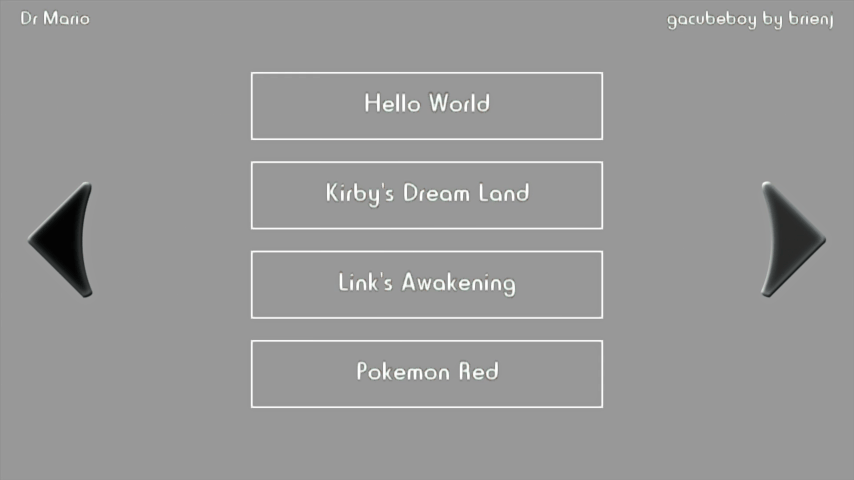
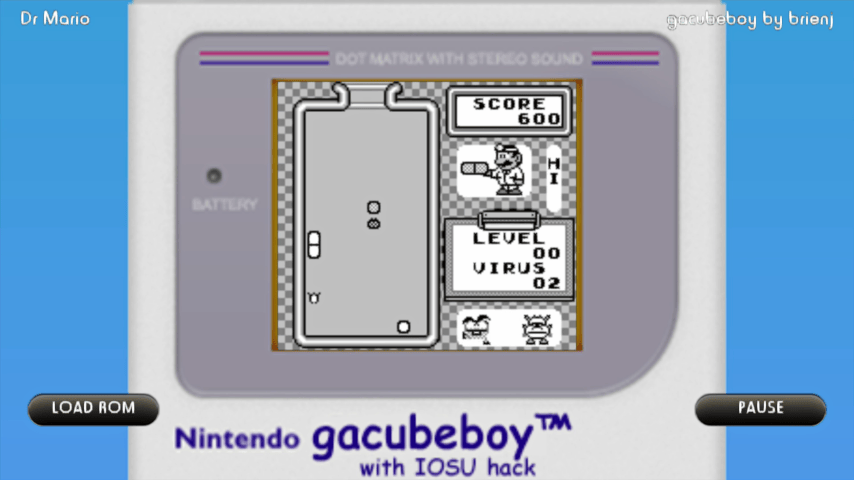
Media
gacubeboy emulator with IOSU hack for Wii U (XHP Creations)
Changelog
Version 9000
- Added Full Screen key press.
Version 1337
- Basic ROM support, no sound.
Credits
dimok for all of his HBL code which makes it simple to build homebrew.
External links
- GBAtemp - https://gbatemp.net/threads/release-gacubeboy-emulator.435627/
- Homebrew App Store - https://apps.fortheusers.org/wiiu/gacubeboy