
SudokuDS: Difference between revisions
From GameBrew
More actions
m Text replacement - "EJS_gameUrl = 'https://dlhb.gamebrew.org/dshomebrew/" to "EJS_gameUrl = 'https://dlhb.gamebrew.org/onlineemulators/nds/" |
No edit summary |
||
| (6 intermediate revisions by the same user not shown) | |||
| Line 8: | Line 8: | ||
|version=2008 | |version=2008 | ||
|license=Mixed | |license=Mixed | ||
|download=https://dlhb.gamebrew.org/ | |download=https://dlhb.gamebrew.org/dshomebrew2/sudokuds_mad.rar | ||
|website=http://mad-gamez.blogspot.com | |website=http://mad-gamez.blogspot.com | ||
}} | }} | ||
| Line 29: | Line 29: | ||
https://dlhb.gamebrew.org/dshomebrew/sudokudsmad3.png | https://dlhb.gamebrew.org/dshomebrew/sudokudsmad3.png | ||
<!--BEGIN Online Emulator Section--> | <!--BEGIN Online Emulator Section--> | ||
==Online | ==Online emulator== | ||
{{ | {{EmulatorJS Main | ||
|width=515px | |||
|height=384px | |||
|EJS_backgroundImage=https://www.gamebrew.org/images/0/06/Sudokudsmad.png | |||
EJS_core = | |EJS_core=desmume2015 | ||
EJS_gameName = | |EJS_gameName=SudokuDS | ||
EJS_gameUrl = | |EJS_gameUrl=https://dlhb.gamebrew.org/onlineemulators/nds/sudokudsmad.7z | ||
}} | }} | ||
{{DS Control Settings}} | {{DS Control Settings}} | ||
| Line 44: | Line 42: | ||
==External links== | ==External links== | ||
* Author's website - http://mad-gamez.blogspot.com | * Author's website - http://mad-gamez.blogspot.com | ||
Latest revision as of 06:23, 21 August 2024
| SudokuDS | |
|---|---|
 | |
| General | |
| Author | Mad |
| Type | Puzzle |
| Version | 2008 |
| License | Mixed |
| Last Updated | 2008/05/28 |
| Links | |
| Download | |
| Website | |
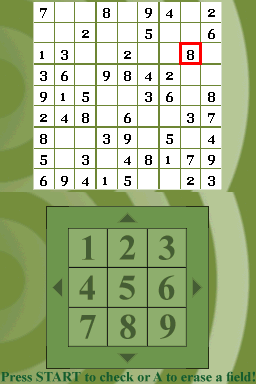
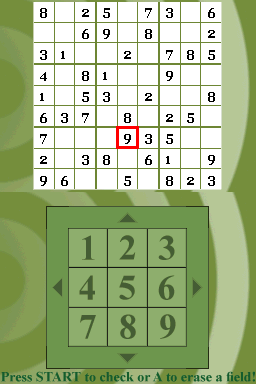
SudokuDS is a Sudoku game with medium difficulty. This is the first DS homebrew project by Mad and it is written in C.
User guide
The goal is to fill a 9×9 grid with digits so that each column, each row, and each of the nine 3×3 sub-grids that compose the grid (also called boxes, blocks, regions, or sub-squares) contains all of the digits from 1 to 9.
In this DS version you can quickly check if you have made any mistake by pressing Start.
Controls
Stylus - Movement, Input number
A - Remove a number
Start - Show the errors and restart the game
Screenshots
Online emulator
| Nintendo DS | Keyboard |
|---|---|

|

|

|

|

|

|

|

|

|

|

|

|

|

|

|

|

|

|
External links
- Author's website - http://mad-gamez.blogspot.com