
Centipong: Difference between revisions
From GameBrew
More actions
m Text replacement - "|discussion=" to "|donation=" |
No edit summary |
||
| (11 intermediate revisions by the same user not shown) | |||
| Line 8: | Line 8: | ||
|version=20081202 | |version=20081202 | ||
|license=Mixed | |license=Mixed | ||
|download=https://dlhb.gamebrew.org/ | |download=https://dlhb.gamebrew.org/dshomebrew2/centipong_20081202.zip | ||
|website=http://jayenkai.socoder.net/GameList.php?ShowJust=40 | |website=http://jayenkai.socoder.net/GameList.php?ShowJust=40 | ||
|discussion={{Tick}} | |||
|donation=https://www.patreon.com/Jayenkai | |donation=https://www.patreon.com/Jayenkai | ||
}} | }} | ||
| Line 34: | Line 35: | ||
https://dlhb.gamebrew.org/dshomebrew/centipong2.png | https://dlhb.gamebrew.org/dshomebrew/centipong2.png | ||
https://dlhb.gamebrew.org/dshomebrew/centipong3.png | https://dlhb.gamebrew.org/dshomebrew/centipong3.png | ||
<!--BEGIN Online Emulator Section--> | |||
==Online emulator== | |||
{{EmulatorJS Main | |||
|width=515px | |||
|height=384px | |||
|EJS_backgroundImage=https://www.gamebrew.org/images/3/3a/Centipong.png | |||
|EJS_core=desmume2015 | |||
|EJS_gameName=Centipong | |||
|EJS_gameUrl=https://dlhb.gamebrew.org/onlineemulators/nds/centipong.7z | |||
}} | |||
{{DS Control Settings}} | |||
<!--END Online Emulator Section--> | |||
==External links== | ==External links== | ||
* Author's website - http://jayenkai.socoder.net | * Author's website - http://jayenkai.socoder.net | ||
Latest revision as of 11:49, 20 August 2024
| Centipong | |
|---|---|
 | |
| General | |
| Author | Jayenkai |
| Type | Arcade Games |
| Version | 20081202 |
| License | Mixed |
| Last Updated | 2008/12/02 |
| Links | |
| Download | |
| Website | |
| Support Author | |
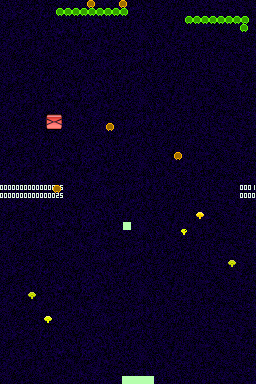
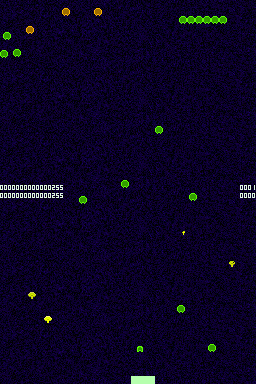
Centipong DS is the classic Pong but with a little more action.
Features
- 2 control modes (Stylus and buttons).
- Pleasant music playing.
- Multiball.
User guide
Use your balls to destroy the centipede!
Destroy all centipede that come up in the Lamp shade and some of the screen below with the ball.
Controls
Stylus - Move
L/R/A/Y - Move
B/X/Select - Throw ball
Screenshots
Online emulator
| Nintendo DS | Keyboard |
|---|---|

|

|

|

|

|

|

|

|

|

|

|

|

|

|

|

|

|

|
External links
- Author's website - http://jayenkai.socoder.net