
Final Fantasy Pixel Remaster SaveDate Editor Switch: Difference between revisions
From GameBrew
More actions
No edit summary |
No edit summary |
||
| Line 11: | Line 11: | ||
|website=http://turtleinsect.php.xdomain.jp/ | |website=http://turtleinsect.php.xdomain.jp/ | ||
|source=https://github.com/turtle-insect/FFPixelRemaster | |source=https://github.com/turtle-insect/FFPixelRemaster | ||
|donation= | |donation=https://www.buymeacoffee.com/06yi7RLlT | ||
}} | }} | ||
This is a save data editor for the [https://www.jp.square-enix.com/ff_pixelremaster/ Final Fantasy Pixel Remaster] on the Nintendo Switch. | This is a save data editor for the [https://www.jp.square-enix.com/ff_pixelremaster/ Final Fantasy Pixel Remaster] on the Nintendo Switch. | ||
Latest revision as of 06:02, 12 July 2023
| Final Fantasy Pixel Remaster SaveDate Editor | |
|---|---|
 | |
| General | |
| Author | turtle-insect |
| Type | Save Editors and Converters |
| Version | 0.02 |
| License | GPL-3.0 |
| Last Updated | 2023/04/27 |
| Links | |
| Download | |
| Website | |
| Source | |
| Support Author | |
This is a save data editor for the Final Fantasy Pixel Remaster on the Nintendo Switch.
Note: Please make a backup of your save data before using.
User guide
Requirements:
- Windows OS.
- .NET 7.
- Tool to export/import SaveData (e.g. Neumann, EdiZon, Checkpoint, JKSV).
How to use:
- SaveData Export.
- Open SavaData.
- Edit.
- or Export > Edit > Import.
- Save SaveData.
- SaveData Import.
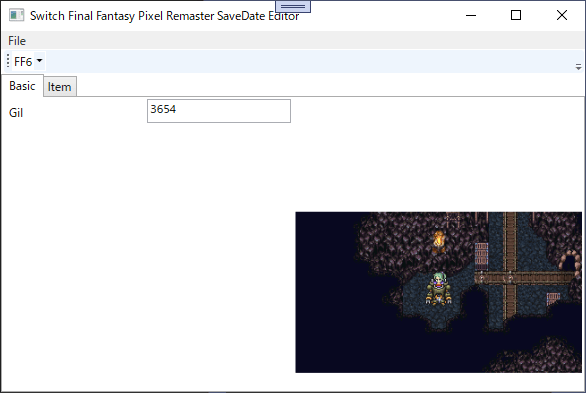
Screenshot
Changelog
v0.02 2023/04/27
- Choice item.
v0.01 2023/04/23
- First Release.
- Gil param.
- Item param.