
DQTreasure Switch: Difference between revisions
From GameBrew
More actions
No edit summary |
No edit summary |
||
| Line 5: | Line 5: | ||
|author=turtle-insect | |author=turtle-insect | ||
|lastupdated=2023/02/12 | |lastupdated=2023/02/12 | ||
|type=Save and | |type=Save Editors and Converters | ||
|version=0.08 | |version=0.08 | ||
|license=GPL-3.0 | |license=GPL-3.0 | ||
Latest revision as of 04:04, 6 July 2023
| DQTreasure | |
|---|---|
 | |
| General | |
| Author | turtle-insect |
| Type | Save Editors and Converters |
| Version | 0.08 |
| License | GPL-3.0 |
| Last Updated | 2023/02/12 |
| Links | |
| Download | |
| Website | |
| Source | |
| Support Author | |
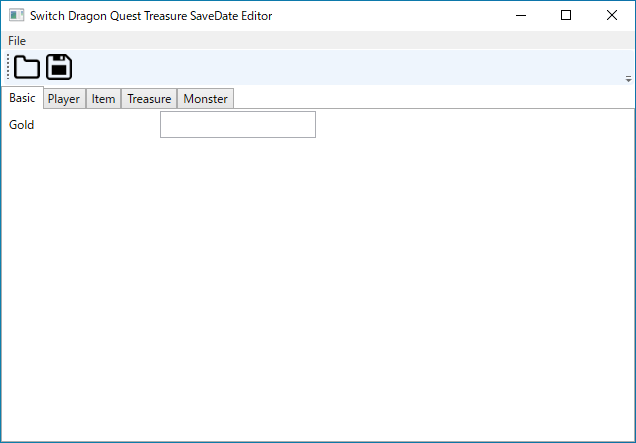
Switch Dragon Quest Treasure SaveDate Editor.
Note: Please make a backup of your save game files before editing.
User guide
Requirements:
- Windows OS.
- .NET Framework 7.
- Tool to export/import SaveData (e.g. Neumann, EdiZon, Checkpoint, JKSV).
How to use:
- Export SaveData.
- Open the save editor and load the SaveData (DarwinSaveData0 or DarwinSaveData1).
- Edit.
- Save your changes.
- Import your SaveData.
Note: The exported file is json and can be edited in an editor.
Screenshots
Known issues
Changelog
0.08 2023/02/12
- Bug fix:
- Info's Item Sort.
0.07 2022/12/17
- Update:
- Support Gold param.
0.06 2022/12/17
- Update:
- Support Choice ID.
0.05 2022/12/14
- Update:
- Support multi language.
0.04 2022/12/13
- Update:
- Support monster param.
0.03 2022/12/12
- Update:
- Support Item param.
- Support Treasure param.
External links
- Author's website - http://turtleinsect.php.xdomain.jp/
- GitHub - https://github.com/turtle-insect/DQTreasure
- GBAtemp - https://gbatemp.net/threads/dragon-quest-treasures-save-editor.622967/