
Shin Megami Tensei V Save Editor Switch: Difference between revisions
From GameBrew
More actions
No edit summary |
No edit summary |
||
| Line 5: | Line 5: | ||
|author=Amuyea | |author=Amuyea | ||
|lastupdated=2021/11/29 | |lastupdated=2021/11/29 | ||
|type=Save and | |type=Save Editors and Converters | ||
|version=1.0.3 | |version=1.0.3 | ||
|license=Mixed | |license=Mixed | ||
Latest revision as of 04:05, 6 July 2023
| Shin Megami Tensei V Save Editor | |
|---|---|
 | |
| General | |
| Author | Amuyea |
| Type | Save Editors and Converters |
| Version | 1.0.3 |
| License | Mixed |
| Last Updated | 2021/11/29 |
| Links | |
| Download | |
| Website | |
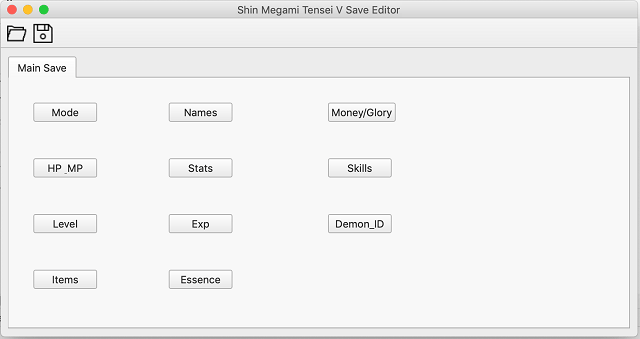
Shin Megami Tensei V Save Editor made in Python.
Works with all the savefiles from Save Slot 1 through 20. (GameSave00-GameSave19) (GameSave00 = Slot 1, GameSave19 = Slot 20).
Features
- Game's Mode (Game Difficulty).
- Money.
- Glory.
- Character Stats & Skills.
- Demon Stats & Skills.
- Items.
- Essences.
- Names.
- EXP.
- Level.
- Demon ID.
User guide
Prerequisites
- Python 3 (tested with Python 3.10.0).
- PyQt5, can be installed through
pip(pip install PyQt5). - A decrypted SMT V save file from your Nintendo Switch (through a save utility such as Checkpoint) or your Switch emulator of choice.
- You can decrypt your save file with smtv.saveutil.
- For example:
smtv.saveutil.exe -i GameSave**will outputGameSave**_decin the folder wheresmtv.saveutil.exeis. - For more info, check out the tool's own README.
- For example:
How to use
Run the script: python shinv.py.
Screenshots
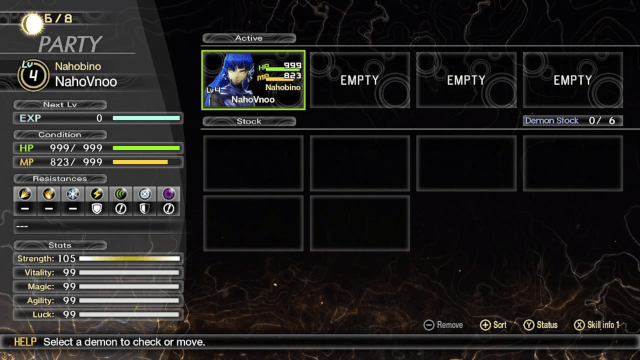
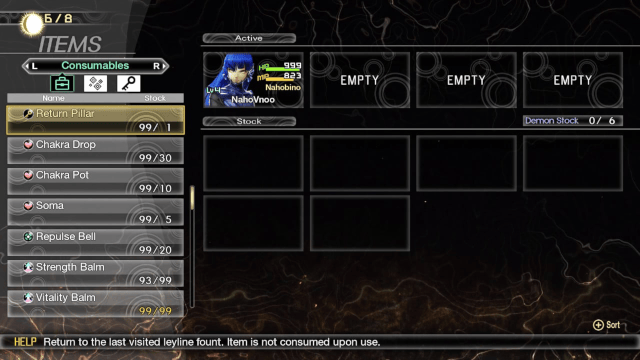
In game screenshots
Changelog
V1.0.3 2021/11/29
- Removed Demon 25-26 Stuff.
- Fixed all Stats.
V1.0.2 2021/11/28
- It will tell you if it's wrong file or encrypted file.
V1.0.1 2021/11/24
- Fix Skill Offsets.
V1.0.0 2021/11/19
- Full Release of Save Editor.
- Added:
- Level.
- EXP.
- ID.
V0.2 2021/11/16
- Early Beta:
- Game Mode.
- Money.
- Glory.
- Character Stats & Skills.
- Demon Stats & Skills.
- Items.
- Essences.
- Name.