
Paper Mario The Origami King Save Editor Switch: Difference between revisions
From GameBrew
More actions
No edit summary |
No edit summary |
||
| (4 intermediate revisions by the same user not shown) | |||
| Line 2: | Line 2: | ||
|title=Paper Mario The Origami King Save Editor | |title=Paper Mario The Origami King Save Editor | ||
|image=papermariotoksaveeditornx.png | |image=papermariotoksaveeditornx.png | ||
|description=Switch Paper Mario The Origami King SaveDate Editor | |description=Switch Paper Mario The Origami King SaveDate Editor. | ||
|author=turtle-insect | |author=turtle-insect | ||
|lastupdated=2020/07/17 | |lastupdated=2020/07/17 | ||
|type=Save and | |type=Save Editors and Converters | ||
|version=0.02 | |version=0.02 | ||
|license=GPL-3.0 | |license=GPL-3.0 | ||
| Line 24: | Line 24: | ||
==User guide== | ==User guide== | ||
Requirements: | Requirements: | ||
*Windows | *Windows OS. | ||
*Tool to export/import SaveData. | *Tool to export/import SaveData (e.g. [[Neumann Switch|Neumann]], [[EdiZon Switch|EdiZon]], [[Checkpoint Switch|Checkpoint]], [[JKSV Switch|JKSV]]). | ||
How to use: | How to use: | ||
Latest revision as of 01:46, 19 October 2024
| Paper Mario The Origami King Save Editor | |
|---|---|
 | |
| General | |
| Author | turtle-insect |
| Type | Save Editors and Converters |
| Version | 0.02 |
| License | GPL-3.0 |
| Last Updated | 2020/07/17 |
| Links | |
| Download | |
| Website | |
| Source | |
| Support Author | |
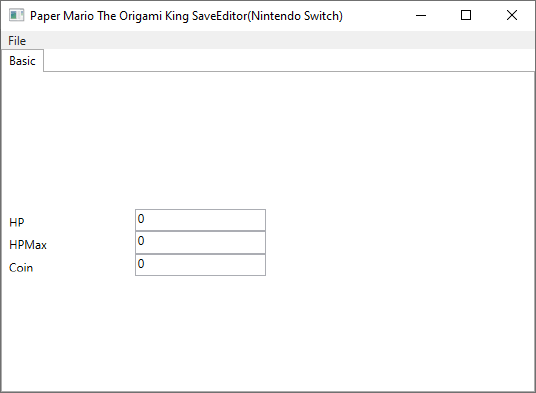
Switch Paper Mario The Origami King SaveDate Editor.
Note: Please make a backup of your save data before using this tool.
Features
- HP.
- HPMax.
- Coin.
User guide
Requirements:
- Windows OS.
- Tool to export/import SaveData (e.g. Neumann, EdiZon, Checkpoint, JKSV).
How to use:
- Open SaveData (data00.bin).
- Edit.
- Save your changes.
Screenshots
Known issues
External links
- Author's website - http://turtleinsect.php.xdomain.jp/
- GitHub - https://github.com/turtle-insect/PaperMarioTOK
- GBAtemp - https://gbatemp.net/threads/paper-mario-the-origami-king-save-editor.569958/