
FF10-2 Save Editor Switch: Difference between revisions
From GameBrew
More actions
No edit summary |
No edit summary |
||
| (2 intermediate revisions by the same user not shown) | |||
| Line 5: | Line 5: | ||
|author=turtle-insect | |author=turtle-insect | ||
|lastupdated=2019/04/14 | |lastupdated=2019/04/14 | ||
|type=Save and | |type=Save Editors and Converters | ||
|version=0.01 | |version=0.01 | ||
|license=GPL-3.0 | |license=GPL-3.0 | ||
| Line 19: | Line 19: | ||
==User guide== | ==User guide== | ||
Requirements: | Requirements: | ||
*Windows | *Windows OS. | ||
*Tool to export/import | *Tool to export/import SaveData (e.g. [[Neumann Switch|Neumann]], [[EdiZon Switch|EdiZon]], [[Checkpoint Switch|Checkpoint]], [[JKSV Switch|JKSV]]). | ||
How to use: | How to use: | ||
Latest revision as of 04:07, 6 July 2023
| FF10-2 Save Editor | |
|---|---|
 | |
| General | |
| Author | turtle-insect |
| Type | Save Editors and Converters |
| Version | 0.01 |
| License | GPL-3.0 |
| Last Updated | 2019/04/14 |
| Links | |
| Download | |
| Website | |
| Source | |
| Support Author | |
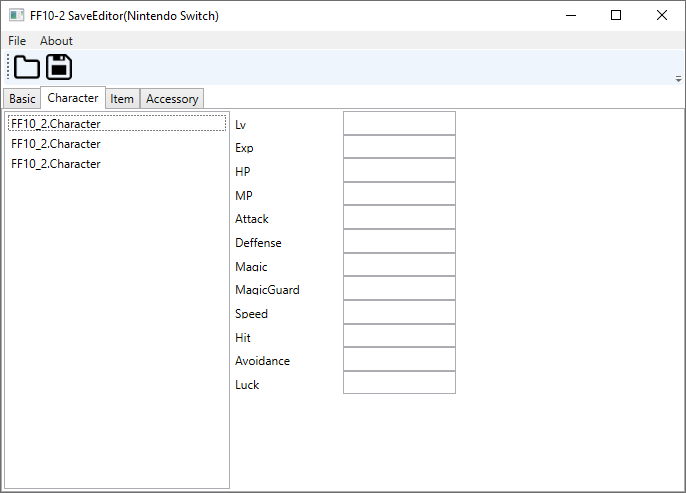
Switch FF10-2 SaveDate Editor.
Note: Please make a backup of your save data before using this tool.
User guide
Requirements:
- Windows OS.
- Tool to export/import SaveData (e.g. Neumann, EdiZon, Checkpoint, JKSV).
How to use:
- Open SaveData (ffx2_main_001).
- Edit.
- Save your changes.
Screenshots
Known issues
External links
- Author's website - http://turtleinsect.php.xdomain.jp/
- GitHub - https://github.com/turtle-insect/FF10-2
- GBAtemp - https://gbatemp.net/threads/ff10-2-save-editor.535913/