
ChoiDujour Switch: Difference between revisions
From GameBrew
More actions
No edit summary |
No edit summary |
||
| (2 intermediate revisions by the same user not shown) | |||
| Line 18: | Line 18: | ||
==User guide== | ==User guide== | ||
Use <code>ChoiDujour.exe --help</code> for a detailed Usage description. | |||
Generally you can just drop the desired source firmware update package onto the exe as well, it will output NX-X.X.X folder on success. | Generally you can just drop the desired source firmware update package onto the exe as well, it will output NX-X.X.X folder on success. | ||
[https://gbatemp.net/threads/how-to-install-run-any-switch-firmware-unofficially-without-burning-any-fuses.507461/ Example usage]. | |||
==Screenshots== | ==Screenshots== | ||
Latest revision as of 01:16, 6 July 2023
| ChoiDujour | |
|---|---|
 | |
| General | |
| Author | rajkosto |
| Type | PC Utilities |
| Version | 1.1.0 |
| License | Mixed |
| Last Updated | 2018/07/21 |
| Links | |
| Download | |
| Website | |
| Source | |
| Support Author | |
Converts Nintendo Switch firmware update packages to installable images/files that can be transferred to the device itself.
Note: The author is not responsible for anything, including dead switches, blown up PCs, loss of life, or total nuclear annihilation.
User guide
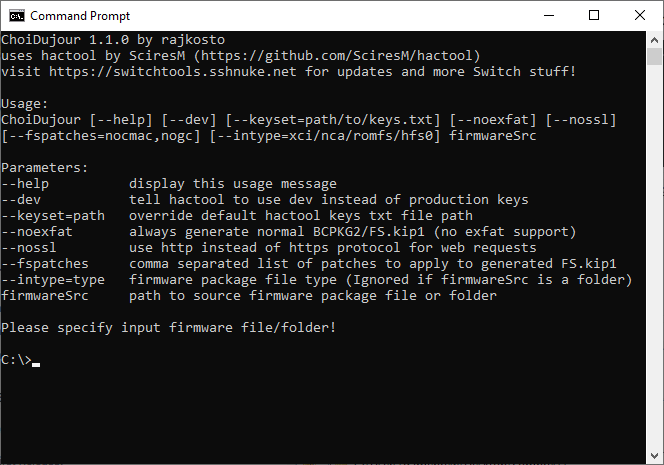
Use ChoiDujour.exe --help for a detailed Usage description.
Generally you can just drop the desired source firmware update package onto the exe as well, it will output NX-X.X.X folder on success.
Screenshots
Changelog
1.1.0 2018/07/21
- Lets you choose what patches to apply to generated FS.kip1 via --fspatches parameter (try nocmac,nogc,nosigchk).
1.0.2 2018/06/16
- Prefer placehld content over registered if both are present.
1.0.1 2018/06/16
- Fix critical bug where folder attributes weren't set.
1.0.0 2018/06/15
- Initial release.
External links
- Author's website - https://switchtools.sshnuke.net/
- GitHub - https://github.com/rajkosto/ChoiDujour