
Apollo Switch: Difference between revisions
From GameBrew
More actions
No edit summary |
|||
| (One intermediate revision by the same user not shown) | |||
| Line 2: | Line 2: | ||
|title=Apollo | |title=Apollo | ||
|image=apollonx.png | |image=apollonx.png | ||
|description=File | |description=File explorer homebrew. | ||
|author=evo-brut3 | |author=evo-brut3 | ||
|lastupdated=2019/07/10 | |lastupdated=2019/07/10 | ||
| Line 34: | Line 34: | ||
A - Open | A - Open | ||
L - Copy/Paste | L/R - Copy/Paste | ||
ZR - Delete | ZR - Delete | ||
Latest revision as of 05:55, 18 July 2024
| Apollo | |
|---|---|
 | |
| General | |
| Author | evo-brut3 |
| Type | File Browsers |
| Version | 0.1 |
| License | GPL-3.0 |
| Last Updated | 2019/07/10 |
| Links | |
| Download | |
| Website | |
| Source | |
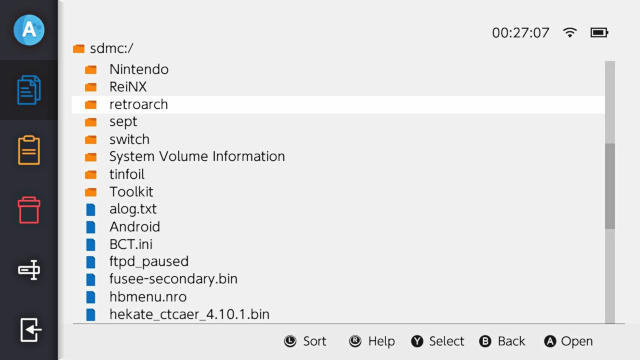
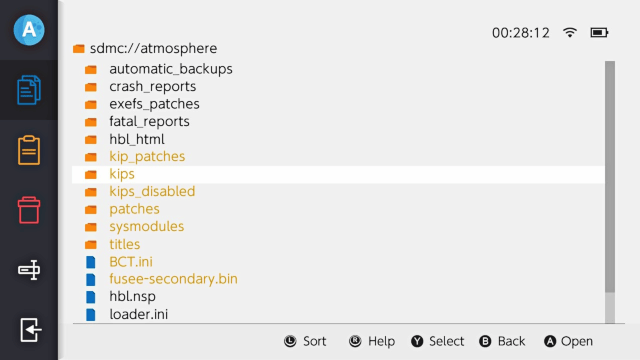
Apollo is a File Explorer Homebrew for the Nintendo Switch. Its goal is to be the most convenient and reliable method to manage console's files.
Features
- Graphical User Interface - Minimalist design which is based on default hbmenu and official home menu esthetic.
- Selecting items - A simple but mandatory feature.
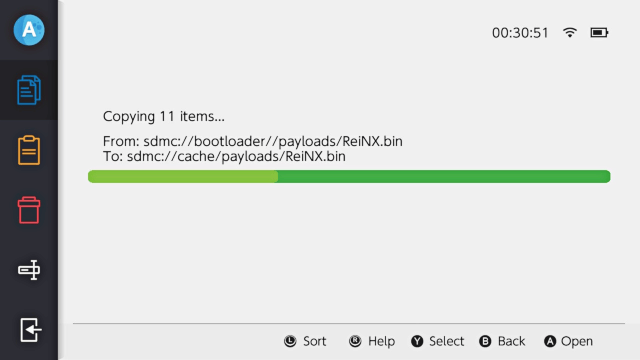
- Copying files and directories - Before doing so, application checks whether user is trying to overwrite currently existing files or directories and then asks about overwriting them.
- Recursive directory deletion - It allows for complete deletion of directories' content and obviously for file deletion.
- Renaming files and directories - Speaks for itself.
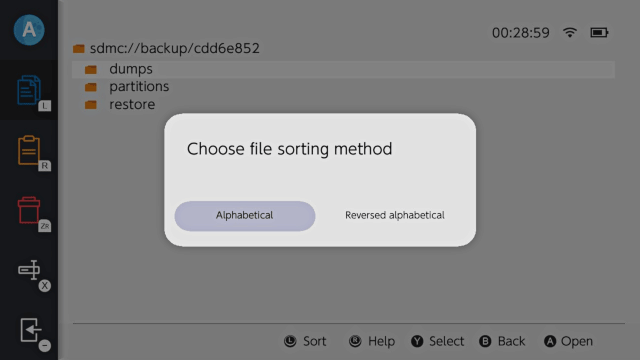
- Sorting items - Alphabetically or reversed.
Controls
L - Sort (alphabetical, reversed alphabetical)
R - Help
Y - Select
B - Go back
A - Open
L/R - Copy/Paste
ZR - Delete
X - Rename
Minus - Quit
Screenshots
Changelog
v0.1
- This is the very first release of Apollo. As for now it has only basic functions.
- For more informations about the project check out the README.
Credits
- devkitPro for providing toolchain.
- XorTroll for the amazing Plutonium which allowed Apollo to look like this and the Goldleaf which is a mine of knowledge.
- GilFerraz for his beautiful Miiverse UI concept which inspired me to create sidebar.
- Lucas Lacerda for his Nintendo Switch UI Concept.
- jaames for the nx-hbmenu mockup which helped me with the design.
- Nintendo for security.