
UndertaleModTool Switch: Difference between revisions
From GameBrew
More actions
Created page with "{{Infobox Switch Homebrews |title=UndertaleModTool |image=undertalemodtoolswitch.png |description=The most complete tool for modding, decompiling and unpacking Undertale (and other Game Maker: Studio games!) |author=krzys-h |lastupdated=2023/02/03 |type=Hack Utilities |version=0.5.0.0 |license=GPL-3.0 |download=https://dlhb.gamebrew.org/switchhomebrews/undertalemodtoolswitch.7z |website=https://github.com/krzys-h/UndertaleModTool |source=https://github.com/krzys-h/Undert..." |
0.9.1.2 |
||
| (15 intermediate revisions by 2 users not shown) | |||
| Line 1: | Line 1: | ||
{{Infobox Switch Homebrews | {{Infobox Switch Homebrews | ||
|title=UndertaleModTool | |title=UndertaleModTool | ||
|image= | |image=undertalemodtoolnx.png | ||
|description=The most complete tool for modding, decompiling and unpacking Undertale (and other Game Maker: Studio games | |description=The most complete tool for modding, decompiling and unpacking Undertale (and other Game Maker: Studio games). | ||
|author=krzys-h | |author=krzys-h | ||
|lastupdated= | |lastupdated=2026/07/13 | ||
|type=Hack Utilities | |type=Hack Utilities | ||
|version=0. | |version=0.9.1.2 | ||
|license=GPL-3.0 | |license=GPL-3.0 | ||
| | |downloadraw=[https://github.com/krzys-h/UndertaleModTool/releases/tag/bleeding-edge Bleeding Edge] - [https://github.com/UnderminersTeam/UndertaleModTool/releases/tag/0.9.1.2 Stable Download] | ||
|website=https:// | |website=https://gamebanana.com/tools/6647 | ||
|source=https://github.com/krzys-h/UndertaleModTool | |source=https://github.com/krzys-h/UndertaleModTool | ||
|donation= | |donation= | ||
}} | }} | ||
<!--undertalemodtoolnx.7z--> | |||
The most complete tool for modding, decompiling and unpacking Undertale (and other Game Maker: Studio games). | |||
UndertaleModTool has a few different versions to choose from. The differences are as follows: | |||
* GUI (default) - the tool has a full graphical interface, making data file viewing and manipulation convenient. | |||
* CLI - the tool is accessible only via a command-line interface, which is useful for automation and quick tasks, but is more difficult to use. | |||
* Single file - the tool is only one executable, with all dependencies embedded within it. This makes your folders cleaner, however it can also cause stability issues in certain cases. | |||
The most complete tool for modding, decompiling and unpacking Undertale (and other Game Maker: Studio games | * Non-single file (default) - all dependencies are not embedded within the executable, and are now located right next to it. Choose this if you don't care about finding the right executable within ~300 DLL files, or if the stability issues from the Single file build affect you. | ||
Documentation is available on [https://github.com/krzys-h/UndertaleModTool/wiki UndertaleModTool wiki]. | |||
==Features== | |||
* Can read every single byte from the data file for latest versions of Undertale, Deltarune, and most other GameMaker games, and then recreate a byte-for-byte exact copy from the decoded data. | |||
* Properly handles all of the pointers in the file so that if you add/remove stuff, make things longer/shorter, move them around, etc., the file format won't break. | |||
* An editor which lets you change (almost) every single value, including unknown ones. | |||
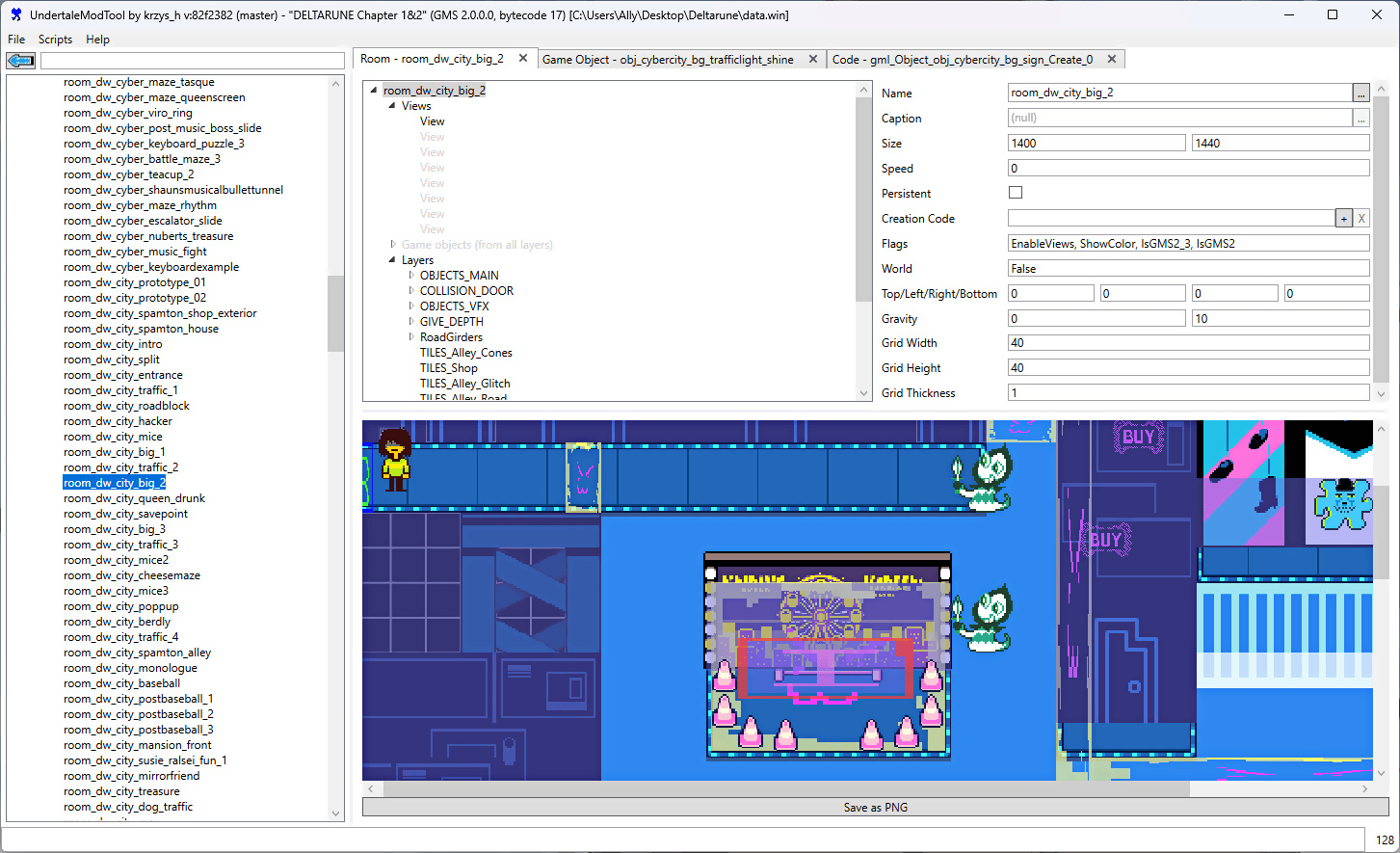
* Includes a simple room/level editor. | |||
* Allows for GML VM code editing. This means you can add any custom code to a game, either using the built-in GML compiler or GML assembly. (YYC is not supported for this.) | |||
* High-level GML decompiler and compiler. Supports a large range of GameMaker versions, and most important GML features (still missing a few). | |||
* Support for running scripts that automatically modify your data file (or perform other nefarious tasks). This can be used for mod distribution, aside from other methods such as file patches/project systems. | |||
* All core functionality extracted into a library for use in external tools. | |||
* Can generate a <code>.yydebug</code> file for the GM:S debugger so that you can edit variables live! (see [https://github.com/UnderminersTeam/UndertaleModTool/wiki/Corrections-to-GameMaker-Studio-1.4-data.win-format-and-VM-bytecode,-.yydebug-format-and-debugger-instructions#yydebug-file-format here]) | |||
* Automatic file associations for all GameMaker related data files. This is opt-in at the first boot of the tool, and can also be disabled by having a <code>dna.txt</code> file next to the executable. | |||
==Screenshots== | ==Screenshots== | ||
https://dlhb.gamebrew.org/switchhomebrews/ | https://dlhb.gamebrew.org/switchhomebrews/undertalemodtoolnx2.png | ||
https:// | |||
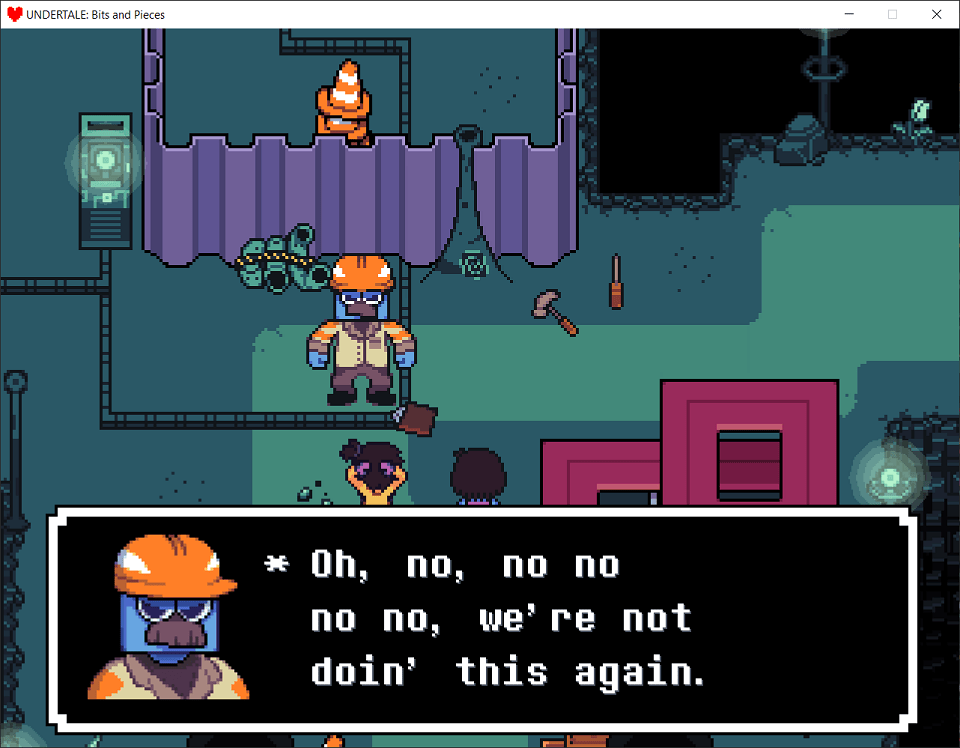
[https://gamejolt.com/games/UndertaleBnP/574044 Undertale: Bits and Pieces] <br> | |||
https://dlhb.gamebrew.org/switchhomebrews/ | https://dlhb.gamebrew.org/switchhomebrews/undertalemodtoolnx3.png | ||
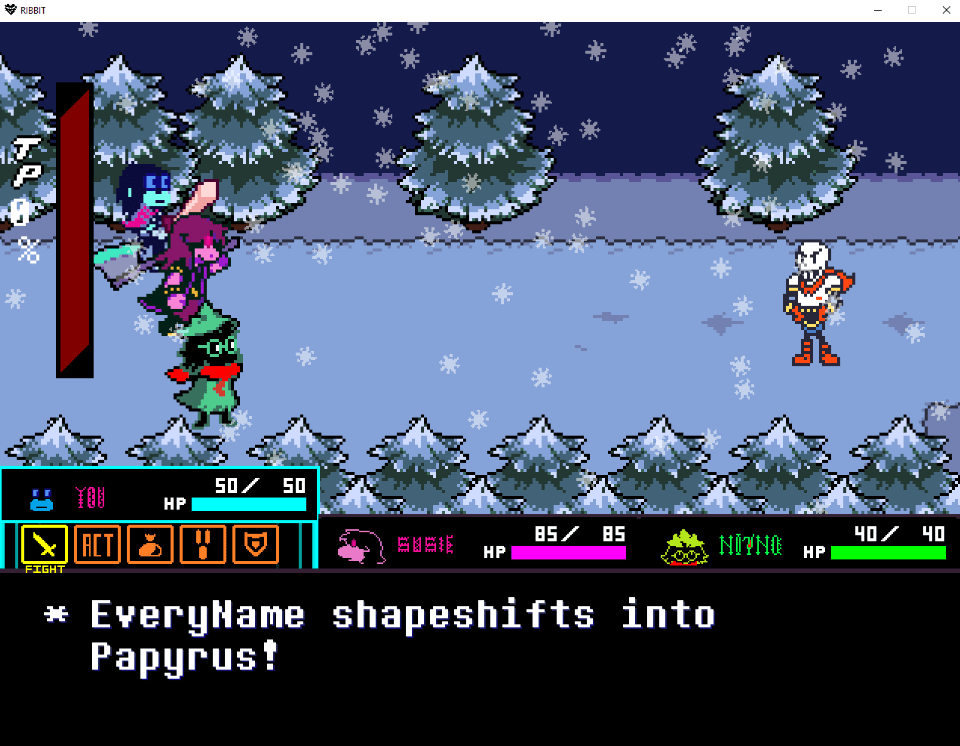
https:// | [https://gamejolt.com/games/ribbitmod/671888 RIBBIT - The Deltarune Mod] <br> | ||
https://dlhb.gamebrew.org/switchhomebrews/undertalemodtoolnx4.png | |||
https://dlhb.gamebrew.org/switchhomebrews/ | |||
==Changelog== | ==Changelog== | ||
[https://github.com/krzys-h/UndertaleModTool/releases Release notes.] | |||
== External links == | == External links == | ||
* | * GitHub - https://github.com/krzys-h/UndertaleModTool | ||
* | * GameBanana - https://gamebanana.com/tools/6647 | ||
Latest revision as of 02:09, 17 July 2026
| UndertaleModTool | |
|---|---|
 | |
| General | |
| Author | krzys-h |
| Type | Hack Utilities |
| Version | 0.9.1.2 |
| License | GPL-3.0 |
| Last Updated | 2026/07/13 |
| Links | |
| Bleeding Edge - Stable Download | |
| Website | |
| Source | |
The most complete tool for modding, decompiling and unpacking Undertale (and other Game Maker: Studio games).
UndertaleModTool has a few different versions to choose from. The differences are as follows:
- GUI (default) - the tool has a full graphical interface, making data file viewing and manipulation convenient.
- CLI - the tool is accessible only via a command-line interface, which is useful for automation and quick tasks, but is more difficult to use.
- Single file - the tool is only one executable, with all dependencies embedded within it. This makes your folders cleaner, however it can also cause stability issues in certain cases.
- Non-single file (default) - all dependencies are not embedded within the executable, and are now located right next to it. Choose this if you don't care about finding the right executable within ~300 DLL files, or if the stability issues from the Single file build affect you.
Documentation is available on UndertaleModTool wiki.
Features
- Can read every single byte from the data file for latest versions of Undertale, Deltarune, and most other GameMaker games, and then recreate a byte-for-byte exact copy from the decoded data.
- Properly handles all of the pointers in the file so that if you add/remove stuff, make things longer/shorter, move them around, etc., the file format won't break.
- An editor which lets you change (almost) every single value, including unknown ones.
- Includes a simple room/level editor.
- Allows for GML VM code editing. This means you can add any custom code to a game, either using the built-in GML compiler or GML assembly. (YYC is not supported for this.)
- High-level GML decompiler and compiler. Supports a large range of GameMaker versions, and most important GML features (still missing a few).
- Support for running scripts that automatically modify your data file (or perform other nefarious tasks). This can be used for mod distribution, aside from other methods such as file patches/project systems.
- All core functionality extracted into a library for use in external tools.
- Can generate a
.yydebugfile for the GM:S debugger so that you can edit variables live! (see here) - Automatic file associations for all GameMaker related data files. This is opt-in at the first boot of the tool, and can also be disabled by having a
dna.txtfile next to the executable.
Screenshots
Changelog
External links
- GitHub - https://github.com/krzys-h/UndertaleModTool
- GameBanana - https://gamebanana.com/tools/6647