
Witgui Wii: Difference between revisions
From GameBrew
More actions
No edit summary |
m Text replacement - "|discussion=" to "|donation=" |
||
| (6 intermediate revisions by the same user not shown) | |||
| Line 1: | Line 1: | ||
{{Infobox Wii Homebrews | {{Infobox Wii Homebrews | ||
|title=Witgui for macOS | |title=Witgui for macOS | ||
|image= | |image=witguiformacoswii02.png | ||
|description=Wii | |description=Wii and GameCube game manager with a graphical interface, based on wit, wwt and gametdb.com. | ||
|author=Desairem | |author=Desairem | ||
|lastupdated=2021/04/20 | |lastupdated=2021/04/20 | ||
|type=Utilities | |type=PC Utilities | ||
|version=2.3 | |version=2.3 | ||
|license=Mixed | |license=Mixed | ||
|download=https://dlhb.gamebrew.org/wiihomebrews/witguiformacoswii.7z | |download=https://dlhb.gamebrew.org/wiihomebrews/witguiformacoswii.7z | ||
|website=https://desairem.com/wordpress/witgui/ | |website=https://desairem.com/wordpress/witgui/ | ||
| | |donation=https://desairem.com/wordpress/witgui/ | ||
}} | }} | ||
Witgui is a free Wii and GameCube game manager for macOS. | Witgui is a free Wii and GameCube game manager for macOS. | ||
It is a graphical user interface based on the [ | It is a graphical user interface based on the [[Wiimms ISO Tools|wit and wwt tools]] and the [http://gametdb.com/ gametdb.com] database. | ||
==Features== | ==Features== | ||
Latest revision as of 01:25, 14 August 2023
| Witgui for macOS | |
|---|---|
 | |
| General | |
| Author | Desairem |
| Type | PC Utilities |
| Version | 2.3 |
| License | Mixed |
| Last Updated | 2021/04/20 |
| Links | |
| Download | |
| Website | |
| Support Author | |
Witgui is a free Wii and GameCube game manager for macOS.
It is a graphical user interface based on the wit and wwt tools and the gametdb.com database.
Features
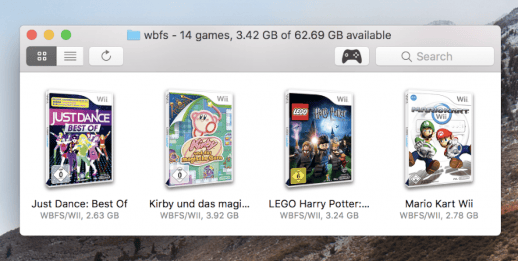
- List Wii and GameCube games on your Mac, an external drive and WBFS partitions.
- Convert between .wbfs, .iso, .wdf, .ciso and .wia file formats, transfer and remove games to/from/between WBFS partitions.
- Download localized cover images from gametdb.com.
- Parse localized game details from the gametdb.com database.
- Search your games or even the whole offline database.
- Rename games with a custom format.
- Export a game list to plain text or html.
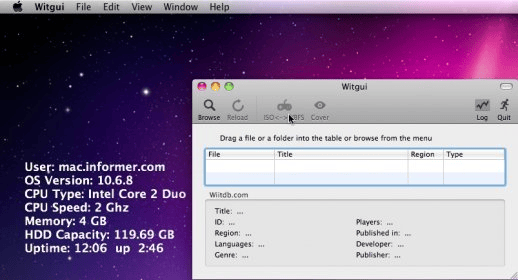
Screenshots
Credits
Thanks to Jon Kilner for his great effort in testing Witgui.
External Links
- Author's website - https://desairem.com/wordpress/witgui/
- GBAtemp - https://gbatemp.net/threads/witgui-for-macos-wii-and-gamecube-game-manager.587284/