
Screenshot-merge 3DS: Difference between revisions
From GameBrew
More actions
No edit summary |
m Text replacement - "Category:Homebrew utility applications on 3DS" to "" |
||
| (2 intermediate revisions by the same user not shown) | |||
| Line 11: | Line 11: | ||
|website=https://github.com/ihaveamac/screenshot-merge | |website=https://github.com/ihaveamac/screenshot-merge | ||
|source=https://github.com/ihaveamac/screenshot-merge | |source=https://github.com/ihaveamac/screenshot-merge | ||
| | |donation=https://ihaveahax.net/view/Donations | ||
}} | }} | ||
screenshot merge is a tool that can merge screenshots who are using ninjhax 2.x, NTR CFW, and Luma3DS Rosalina on their 3DS. | screenshot merge is a tool that can merge screenshots who are using ninjhax 2.x, NTR CFW, and Luma3DS Rosalina on their 3DS. | ||
| Line 44: | Line 44: | ||
<code>resources/icon.png</code> and <code>resources/banner.png</code> was created by @Favna. | <code>resources/icon.png</code> and <code>resources/banner.png</code> was created by @Favna. | ||
[[Category:Support the author]] | [[Category:Support the author]] | ||
Latest revision as of 05:50, 6 May 2024
| screenshot-merge | |
|---|---|
 | |
| General | |
| Author | ihaveamac |
| Type | Utilities |
| Version | 1.4 |
| License | MIT License |
| Last Updated | 2018/02/03 |
| Links | |
| Download | |
| Website | |
| Source | |
| Support Author | |
screenshot merge is a tool that can merge screenshots who are using ninjhax 2.x, NTR CFW, and Luma3DS Rosalina on their 3DS.
It is inspired by RedInquisitive's PC Screenshot Tool and uses lpp-3ds r5 by Rinnegatamante. Releases use the "unsafe" build with no error handling.
The CIA UniqueID is 0xF0ACC.
User guide
Run the tool, and follow the on-screen prompts.
For ninjhax 2.x screenshots:
- It searches
/screenshotsfor files that match the namescr_X_TOP_LEFT.pngandscr_X_BOTTOM.png. - Then puts them together and saves the result at
/screenshots-merged/scr_X_MERGED.bmp.
For NTR CFW screenshots:
- It searches the root for files that match the name
top_XXXX.bmpandbot_XXXX.bmp. - Then saves the result at
/screenshots-merged/ntr/mrg_XXXX.bmp.
For Luma3DS Rosalina screenshots:
- It searches
/luma/screenshotsfor files that match the nametop_XXXX.bmpandbot_XXXX.bmp. - Then saves the result at
/screenshots-merged/luma/mrg_XXXX.bmp. - Merged images are in .bmp format until lpp-3ds can save in .png.
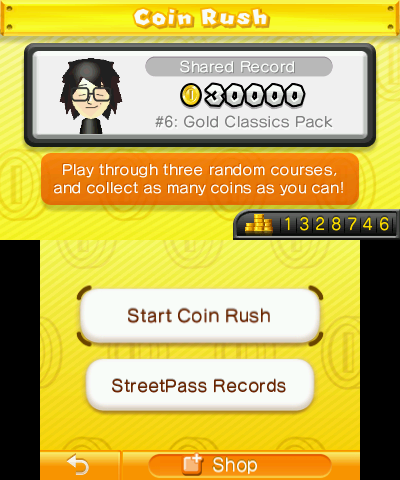
Screenshots

Credits
Thanks to Rinnegatamante for Lua Player Plus, smealum for the screenshot feature of ninjhax 2.x, and Aurora Wright/TuxSH/other contributors on Luma3DS and Rosalina.
resources/icon.png and resources/banner.png was created by @Favna.