
VICEVita: Difference between revisions
From GameBrew
More actions
No edit summary |
m Text replacement - "https://vitadb.rinnegatamante.it/" to "https://www.rinnegatamante.eu/vitadb/" |
||
| (One intermediate revision by the same user not shown) | |||
| Line 17: | Line 17: | ||
|website=https://github.com/ammeir/vicevita | |website=https://github.com/ammeir/vicevita | ||
|source=https://github.com/ammeir/vicevita | |source=https://github.com/ammeir/vicevita | ||
| | |donation=https://paypal.me/ammeir | ||
}} | }} | ||
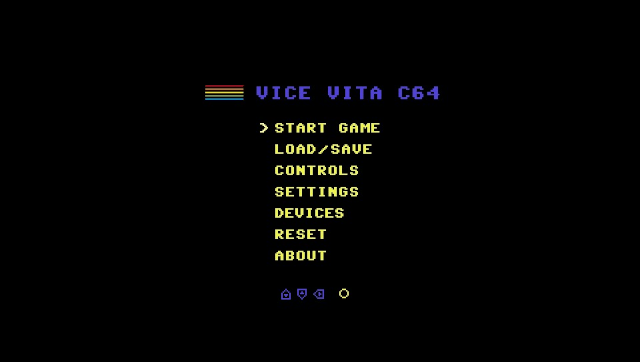
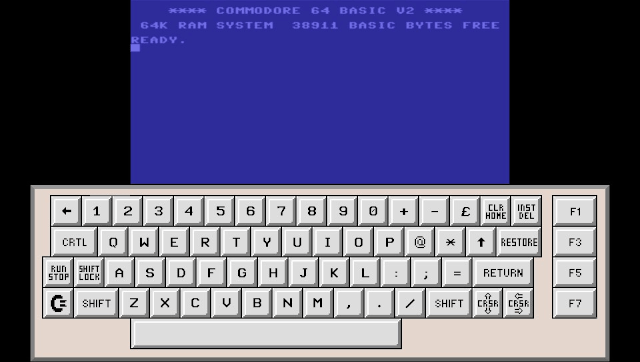
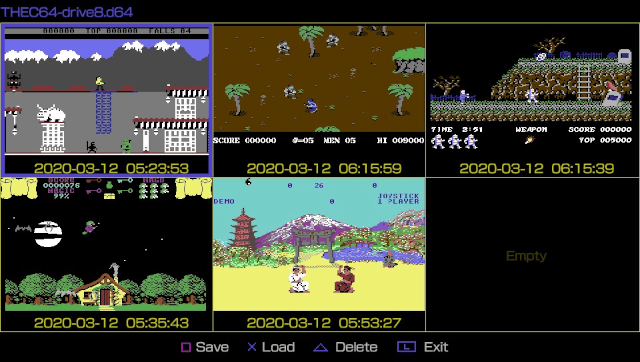
VICEVita is a port of the [https://vice-emu.sourceforge.io/ Versatile Commodore Emulator (VICE)], a Commodore 64 emulator to the Sony PlayStation Vita. It features a completely new UI with touch keyboard, savestates and control mappings. | VICEVita is a port of the [https://vice-emu.sourceforge.io/ Versatile Commodore Emulator (VICE)], a Commodore 64 emulator to the Sony PlayStation Vita. It features a completely new UI with touch keyboard, savestates and control mappings. | ||
| Line 76: | Line 76: | ||
* Twitter - https://twitter.com/ammeir71 | * Twitter - https://twitter.com/ammeir71 | ||
* GitHub - https://github.com/ammeir/vicevita | * GitHub - https://github.com/ammeir/vicevita | ||
* VitaDB - https:// | * VitaDB - https://www.rinnegatamante.eu/vitadb/#/info/541 | ||
[[Category:Support the author]] | [[Category:Support the author]] | ||
Latest revision as of 04:38, 5 January 2025
| VICEVita | |
|---|---|
 | |
| General | |
| Author | Amnon-Dan Meir (ammeir) |
| Type | Computer |
| Version | 1.2 |
| License | Mixed |
| Last Updated | 2020/12/19 |
| Links | |
| Download | |
| Website | |
| Source | |
| Support Author | |
VICEVita is a port of the Versatile Commodore Emulator (VICE), a Commodore 64 emulator to the Sony PlayStation Vita. It features a completely new UI with touch keyboard, savestates and control mappings.
User guide
Useful links and resources:
Supported file formats include D64, T64, CRT, X64, G64, PRG, etc.
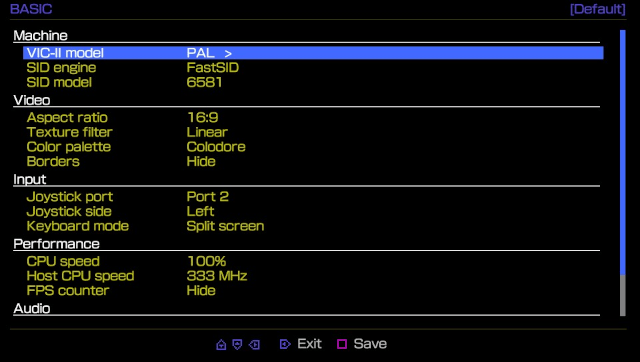
If control doesn't work, go to Settings > Input and swap Joysticks to Port 1.
To change disk, go to Devices > Drive > Content, detach current disk and attach new (disk b).
Screenshots
Changelog
v1.2
- Added ability to browse to uma0: device for game loading (thanks @rsn8887).
- Added a sliding keyboard option.
- Added fast access to drive's zip folder.
- Modified file browser to remember the last visited directory.
- Modified menu button actions.
- Bug fix: Fixed a crash when attaching empty disk images to a drive.
- Bug fix: Fixed release issues with shifted control mappings.
- Bug fix: Fixed failure to attach and load tape/cart if drive status was 'not active'.
v1.1
- Added multi-disk zip file support.
- Added multi-drive support.
- Added autofire support.
- Added reset hotkey control.
- Added statusbar hotkey control.
- Added drive/tape/warp led indicators on the statusbar.
- Improved savestate identification when loading games.
- Increased heap size to prevent memory allocation failures when loading cart games.
- Bug fix: Fixed issues in Devices-menu where listbox was populated with wrong content.
- Bug fix: Fixed issues loading tap files from Devices-menu.
- Bug fix: Fixed issues saving a disk/cart games when tap file was attached to datasette.
- Bug fix: Fixed issues loading games from t64 compilation image.
- Bug fix: Game settings were not loaded when starting a game from Devices-menu.
- Bug fix: Saving settings failed if configuration file didn't exist.
- Several other small bug fixes and enhancements.
v.1.0
- First Release.
External links
- Twitter - https://twitter.com/ammeir71
- GitHub - https://github.com/ammeir/vicevita
- VitaDB - https://www.rinnegatamante.eu/vitadb/#/info/541