C64psp: Difference between revisions
From GameBrew
More actions
No edit summary |
No edit summary |
||
| Line 26: | Line 26: | ||
Place T64 and D64 image files in the /PSP/C64ROMS/ folder on your Memory Stick. | Place T64 and D64 image files in the /PSP/C64ROMS/ folder on your Memory Stick. | ||
== | ==User guide== | ||
'''Load games (T64, D64):''' | '''Load games (T64, D64):''' | ||
Open the image selection screen, choose the image to Autoload. Programs can also be loaded with the standard C64 disk commands using the virtual keyboard (e.g. LOAD”$”,8 and LIST for directory listing). To do so, return to the emulator once the image file is highlighted and enter the following command | Open the image selection screen, choose the image to Autoload. | ||
Programs can also be loaded with the standard C64 disk commands using the virtual keyboard (e.g. LOAD”$”,8 and LIST for directory listing). | |||
To do so, return to the emulator once the image file is highlighted and enter the following command | |||
LOAD"game name",8 | LOAD"game name",8 | ||
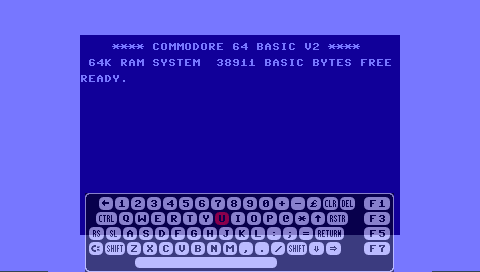
'''Virtual keyboard:''' | '''Virtual keyboard:''' | ||
Some games may require keyboard input which you can also toggle the virtual keyboard whilst in game. | Some games may require keyboard input which you can also toggle the virtual keyboard whilst in game. | ||
'''Screen Mode:''' | '''Screen Mode:''' | ||
* Unstretched. | * Unstretched. | ||