
LibNXbox Switch
More actions
| LibNXbox | |
|---|---|
 | |
| General | |
| Author | ursusworks |
| Type | Other Apps |
| Version | 0.9.0-beta |
| License | MIT License |
| Last Updated | 2026/03/25 |
| Links | |
| Download | |
| Website | |
LibNXbox is an Xbox Cloud Streaming client for Nintendo Switch. It can stream from a console or xCloud to Nintendo Switch.
The application needs to run in title mode and will crash in applet mode.
Authentication goes through Microsoft's official servers. The application stores only the token, which is stored on the SD card. On first launch, the NRO checks for /switch/libnxbox/token.dat. If the file is not present, it prompts the user to sign in. Once token.dat is created, it is used to refresh MSAL tokens going forward unless the file is deleted or the stored token becomes invalid.
This is unofficial homebrew software and is not affiliated with, endorsed by, or supported by Nintendo, Microsoft, Xbox, or any of their subsidiaries or partners.
Installation
Download libnxbox.nro from releases.
Run the NRO in title mode (Hold R while launch any game).
For home streaming from your own console, launch the .nro in title mode. It will discover your console in the same way that xbox.com/play does.
For xCloud titles, you can use NRO forwarder for the Moonlight Switch port can be used. In the forwarder:
- Game Title is the name of the NRO forwarder.
- Host IP is treated as a dummy value to maintain compatibility with the Moonlight NRO forwarder; the README suggests
127.0.0.1or another IP address. - AppID selects the xCloud title.
Install the generated .NSP file and launch the game on the Switch to launch that xCloud title.
You can use LibNXboxNROHelper, which can help get the APPID and thumbnail. It can search for games on the Microsoft Store and generate a game art thumbnail for games with cloud stream capabilities. The thumbnail name will be the APPID, and it also generates a titles.txt file with the title name and xCloud APPID.
Troubleshooting:
- If you want to connect to your console outside of LAN and struggle to connect, make sure that you can access your console on UDP port 9002 (port forwarding)
- If you are stuck on an infinite pulsating Xbox logo. Make sure if you actually are entitled to access that game (limitation of subscription tier or stream your own game title that you don't actually own). It could also be an APPID that does not exist. Verify that you created the forwarder correctly. If it's with a game that you should have access to, you might be stuck in a queue. LibNXbox does not currently show waiting times.
- libnxbox.nro will create a debug.log file. So if anything goes haywire, the log might have a clue.
Controls
Face buttons are mapped by physical position rather than label, so the right-side button on Switch maps to the right-side button on Xbox.
| Switch | Xbox | Position |
|---|---|---|
| A | B | Right |
| B | A | Bottom |
| X | Y | Top |
| Y | X | Left |
| L | LB | Left bumper |
| R | RB | Right bumper |
| ZL | LT (full) | Left trigger (digital → 0 or 100%) |
| ZR | RT (full) | Right trigger (digital → 0 or 100%) |
| L-Stick click | L3 | Left stick press |
| R-Stick click | R3 | Right stick press |
| D-Pad | D-Pad | Directional |
| − | View/Select | |
| + (short press) | Menu/Start | < 500 ms hold |
| + (long press) | Nexus/Guide | ≥ 500 ms hold |
Analog Sticks
- Range: −32768 to 32767.
- Deadzone: ±2000, with values inside the deadzone snapping to 0.
- Y-axis convention: up = positive.
Triggers
- ZL/ZR are digital buttons and are mapped as fully pressed (65535) or released (0).
Rumble
- Haptics are implemented in version 0.8.6.
- Rumble strength was reduced by 50%.
Screenshots
|
|
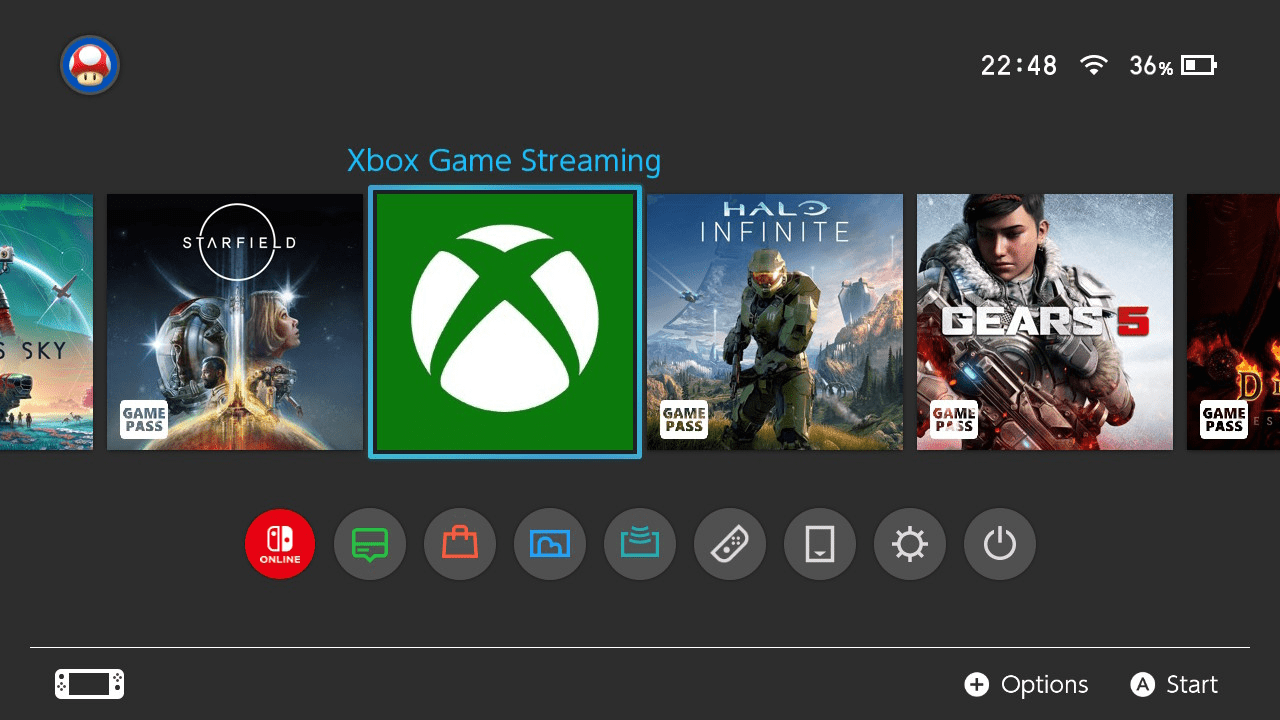
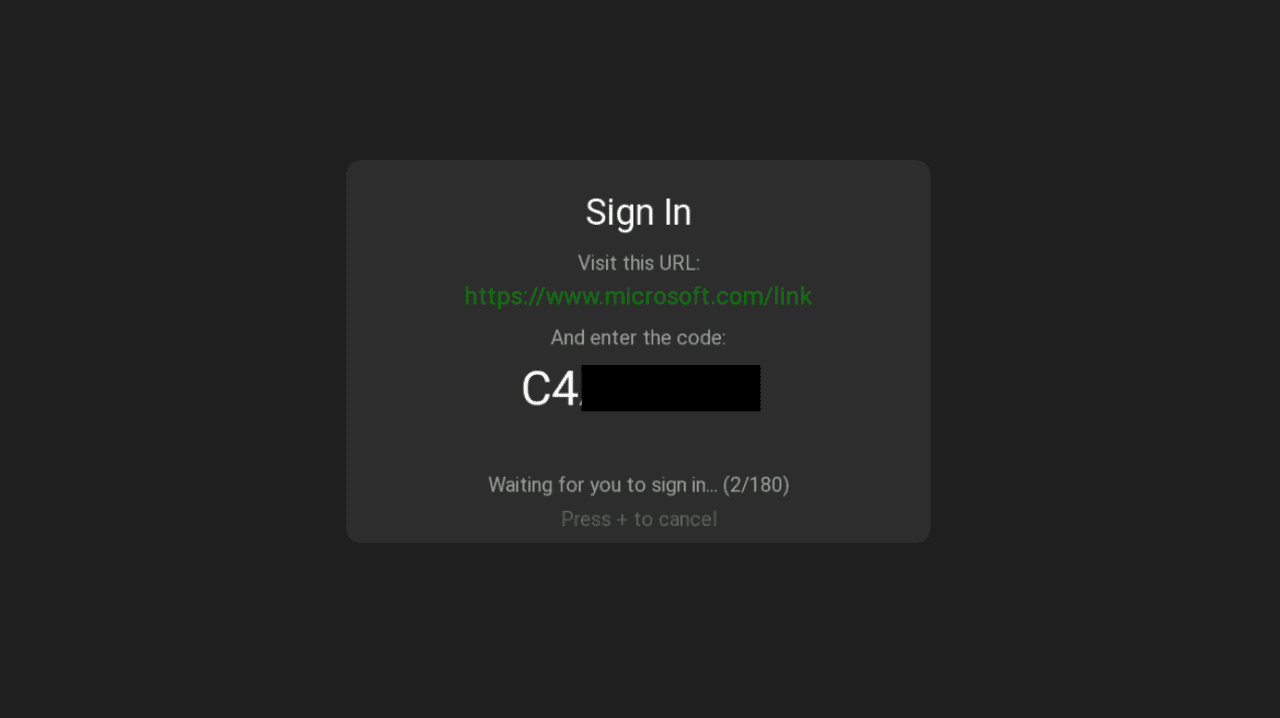
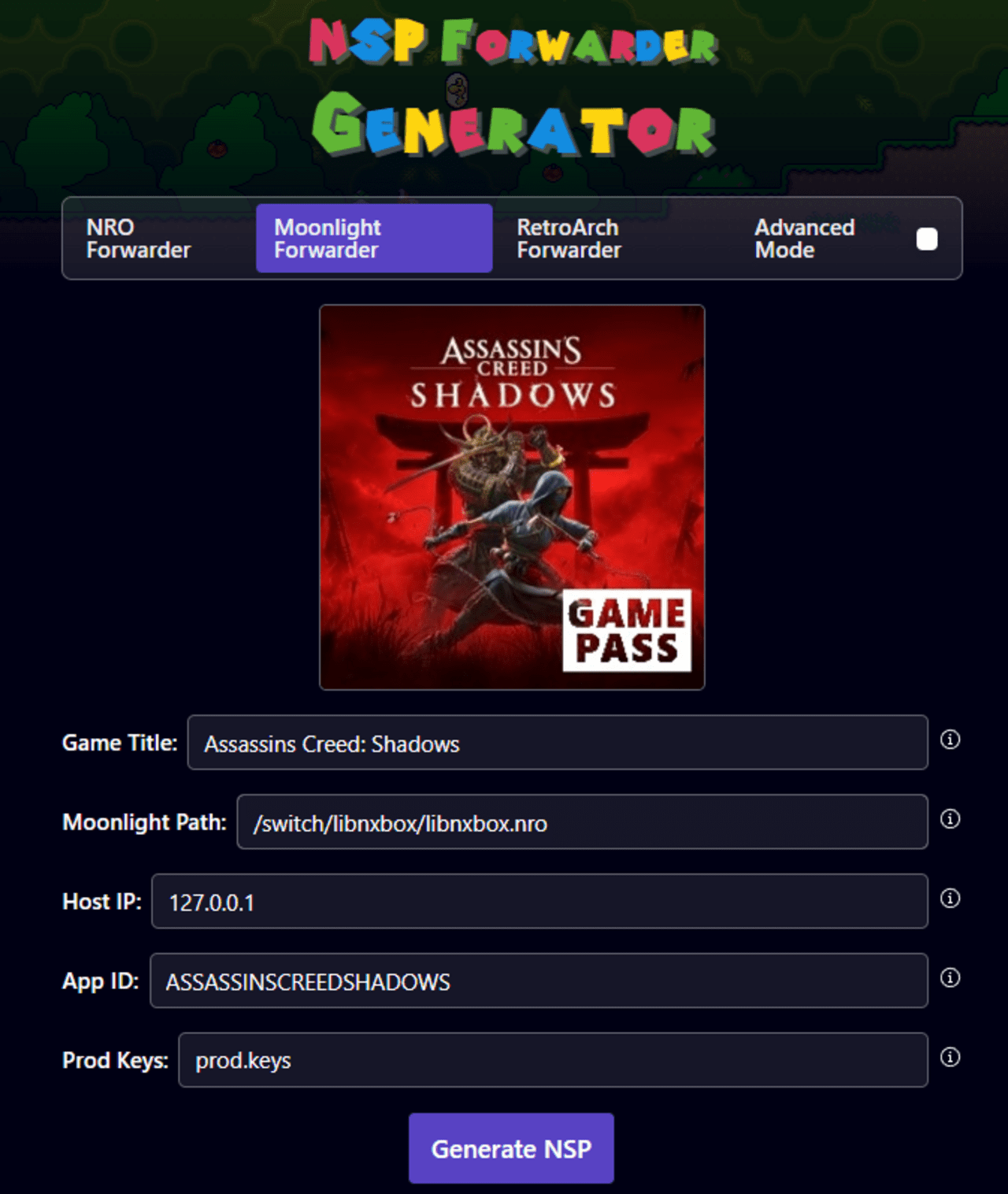
Changelog
0.9.0-beta
- 1080p when docked.
- Error messages shown in UI. When starting a game without access because of subscription tier or ownership, a NoEntitlement message from xCloud is shown. Other session-related error messages are also shown. Device token failure now includes a hint to check date and time in case of SSL issues.
- Language is now based on the language set on the Switch. If xCloud and the game both support that language, it will be used.
- ReadyToConnect, Waiting, and Provisioned state is shown below the pulsing Xbox logo at startup.
0.8.6-alpha
- All WebRTC and backend functions are now feature complete.
- When quitting an xCloud title from the guide opened by long pressing "+", LibNXbox now gracefully quits.
- Initial stream quality is set to 14mbps.
- Network feedback is ignored for the first 10 seconds of the stream so stream initialization does not affect quality.
- LibNXbox now asks xCloud for 20mbps instead of stopping at 15mbps.
- Implemented haptics with vibration strength reduced by 50%.
0.8.5-alpha
- Further improvements to stream stability.
- Fixed garbage input accumulating on the message channel, causing the message size to grow and eventually causing the stream to stop.
0.8.4-alpha
- Fixes xCloud streams being terminated at frame 18,000, approximately 10 minutes into the session.
- Responds to xCloud TransactionStart responses. xCloud sends TransactionStart messages on the message channel, such as title info and disconnect notifications.
0.8.3-alpha
- Fixes an issue where the video stream could freeze while audio and controller input continued working normally.
- Detects when video has been frozen for more than 500ms and actively requests a new keyframe from the Xbox or xCloud.
- Retries every second until video resumes if the first request is lost.
- Requests a keyframe immediately when a video frame arrives incomplete due to packet loss mid-frame.
0.8.2-alpha
- Fix for truncated tokens, which could fix empty session errors.
- Token-related arrays now support up to 10,000 bytes.
- When button state changes, the input packet is sent 3 times with 1ms delays between bursts.
- Keepalive rate increased from 125 Hz to 200 Hz for idle state.
- Intended to improve input with bad Wi-Fi, especially fast input changes and holding down buttons.
0.8.1-alpha
- New stream initialization error screen.
- When the WebRTC chain fails, an error screen is displayed instead of silently failing, showing a blank screen, or showing the Xbox loading animation in a loop.
- Listed possible stream initialization failures include network issues, Xbox unavailable, and token issues.
0.8.0-alpha
- Initial alpha release.
Acknowledgements
LibNXBox builds on the work of several open-source projects and community efforts.
- sepfy/libpeer - WebRTC peer connection library.
- xbox-xcloud-player by unknownskl - Xbox Cloud Gaming protocol reference. The XInput wire format and GameStream protocol init sequence are based on this implementation.
- Moonlight-Switch - Game streaming client for Nintendo Switch. YUV→RGB colorspace matrices taken from its GLVideoRenderer, and FFmpeg build configuration referenced for NVDEC integration.
- averne's FFmpeg fork - FFmpeg with Tegra X1 NVDEC hardware acceleration (nvtegra hwaccel). Bundled static libraries provide hardware video decoding on Switch.
- better-xcloud by redphx - Xbox Cloud Gaming browser enhancements. Device info format and OS name resolution control logic derived from this project.
- Team OpenXbox with special thanks to tuxuser for the xcloud-rs lib and their efforts to reverse engineer the Xbox backend systems.