
Metal Gear Solid Classic Collection PSP
More actions
| Metal Gear Solid Classic Collection | |
|---|---|
 | |
| General | |
| Author | Caio Souza Oliveira |
| Type | Adventure |
| Version | 2015 |
| License | Mixed |
| Last Updated | 2015/07/30 |
| Links | |
| Download | |
| Website | |
Metal Gear Solid: Classic Collection (MGCCC) is a tribute homebrew that brings the classic Metal Gear saga from MSX to the PSP.
To play this game you have to get your own copies of Metal Gear and Metal Gear 2 Solid Snake.
The game has been developed with HD Collection in mind: extremely minimalist and beautiful menus, game information, precise control and renewed save system.
Installation
Before being able to play Metal Gear Solid Classic Collection on your PSP System, you will first need to have valid Metal Gear and Metal Gear 2: Solid Snake MSX ROM files.
Metal Gear Solid Classic Collection identifies the game ROMs by checking their file names. For that reason, it is required to change the ROMs names as follow:
- Metal Gear ROM must be renamed to RC750.rom
- Metal Gear 2: Solid Snake ROM must be renamed to RC767.rom
Make sure to copy the files in the root of MGSCC directory.
The game will also require 14 MB of free space on your Memory Stick.
Connect your PSP system to your computer using an USB cable.
Navigate to /PSP/GAME/ and copy the MGSCC folder into this directory.
User guide
At the game select screen, flick to the left to play "Metal Gear", flick to the right to play "Metal Gear 2: Solid Snake".
Press Cross to select "Start Game", which will bring up the game.
At the title screen, press Start to bring up the title menu.
Controls
Analog/D-Pad - Move Snake
Circle - Use weapon
Cross - Punch, Action
Triangle - Equipment select
Square - Weapon select
R - Transceiver
Select - Save menu
Start - Pause
Cross+L - Crawl (Metal Gear 2 only)
Screenshots

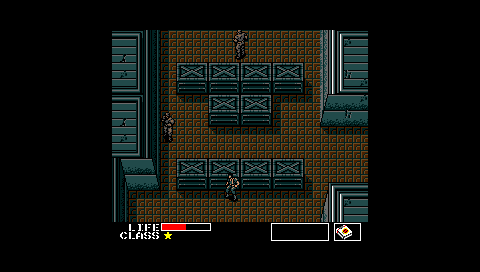

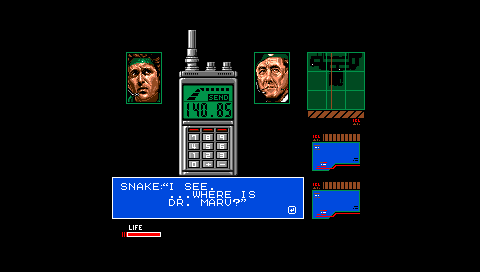
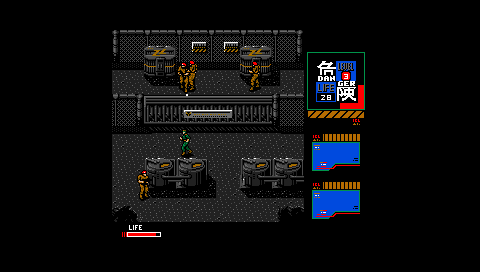
Media
Metal Gear Classic Collection - Gameplay Video (Caio Oliveira)
Compatibility
The game was designed to run PRO CFW 6.30 or higher.
Credits
Special Thanks:
- Akop Karapetyan - FMSXPSP