CPyMO PSP: Difference between revisions
From GameBrew
More actions
Created page with "{{Infobox PSP Homebrews |title=CPyMO |image=cpymopsp.png |description=PyMO AVG Game Engine implemention in C. |author=Seng-Jik, tuyunlei X_Tu |lastupdated=2023/08/14 |type=Game Engine |format= |version=1.1.9 |license=Mixed |download=https://dlhb.gamebrew.org/psphomebrew/cpymopsp.7z |website=https://github.com/Strrationalism/CPyMO |source=https://github.com/Strrationalism/CPyMO }} PyMO AVG Game Engine implemention in C. == User guide == Create a folder named CPYMO in the..." |
No edit summary |
||
| Line 15: | Line 15: | ||
PyMO AVG Game Engine implemention in C. | PyMO AVG Game Engine implemention in C. | ||
== | == Installation == | ||
Create a folder named CPYMO in the /PSP/GAME/ directory. | Create a folder named CPYMO in the /PSP/GAME/ directory. | ||
Latest revision as of 03:28, 20 July 2025
| CPyMO | |
|---|---|
 | |
| General | |
| Author | Seng-Jik, tuyunlei X_Tu |
| Type | Game Engine |
| Version | 1.1.9 |
| License | Mixed |
| Last Updated | 2023/08/14 |
| Links | |
| Download | |
| Website | |
| Source | |
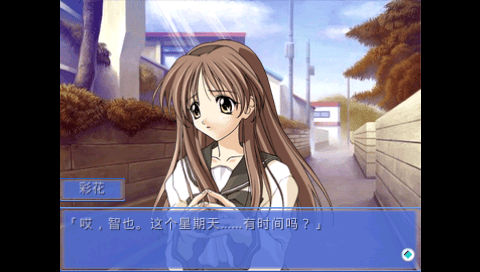
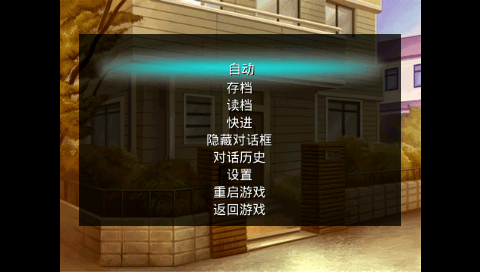
PyMO AVG Game Engine implemention in C.
Installation
Create a folder named CPYMO in the /PSP/GAME/ directory.
Place the EBOOT.PBP and default.ttf files inside this folder, and place the game inside the same folder.
It is recommended that the font file default.ttf be less than 2MB in size.
Adapting Games for PSP
If you need to adapt a PyMO game for the PSP, it's recommended to use the following settings:
- Resolution: 480×272
- Audio format: 16bit, 44100Hz, mp3
- Background format: jpg
- Other images: PNG with transparency, avoid using extra mask grayscale images
- Platform parameter: pygame
- Video is not supported
Screenshots